
You’ve done the hard part. You’ve written an in-depth, engaging article that’s packed with value for your audience. But then comes the hard truth: a great article doesn’t always rank on Google.
The gap between writing and ranking is significant. And sometimes algorithm updates can make you feel like you don’t stand a chance.
This is where SEO content optimization tools come into play. These tools transform well-written content into search engine powerhouses.
In this guide, I’ll walk you through a step-by-step workflow and introduce you to the best content optimization tools on the market today. We’ll cover their strengths, what makes them unique, and how you can use them together to create high-ranking content.
In This Article
- What Are Content Optimization Tools?
- Before You Start Optimizing, Find Keywords You Can Actually Win
- The Criteria I Used to Make This List
- Best Content Optimization Tools for Ranking Higher in SERPs
- Putting It All Together: A Winning Content Optimization Workflow
- Final Thoughts: The Secret to High-Ranking Content
- FAQs About SEO Content Optimization Tools
What Are Content Optimization Tools?
SEO content optimization tools use a two-part process:
- Analyze the top-ranking content for a specific keyword.
- Provide actionable recommendations to improve your content.
They act like an SEO editor, helping you ensure your content is more comprehensive, relevant, and authoritative than what’s already on the first page of Google. Some of the insights and suggestions they provide include:
- Related keywords and topics to include
- Recommended word count and reading level
- Questions to answer from “People Also Ask”
- Suggestions for external and internal links
The ultimate goal? To give you a clear, data-backed blueprint for creating content that satisfies users and search engines.
Before You Start Optimizing, Find Keywords You Can Actually Win
This is the most critical part of the entire workflow, and it’s one that many people get wrong.
I’ve seen so many clients start writing without a plan. Or never having done keyword research before. The problem with this is that you can waste hours, or cumulative days, creating content that never really had a chance at ranking.
So, the first step isn’t to optimize. It’s start with keyword research.
This is where LowFruits shines as an essential “pre-optimization” tool.
How LowFruits Fits In to Content Creation & Optimization
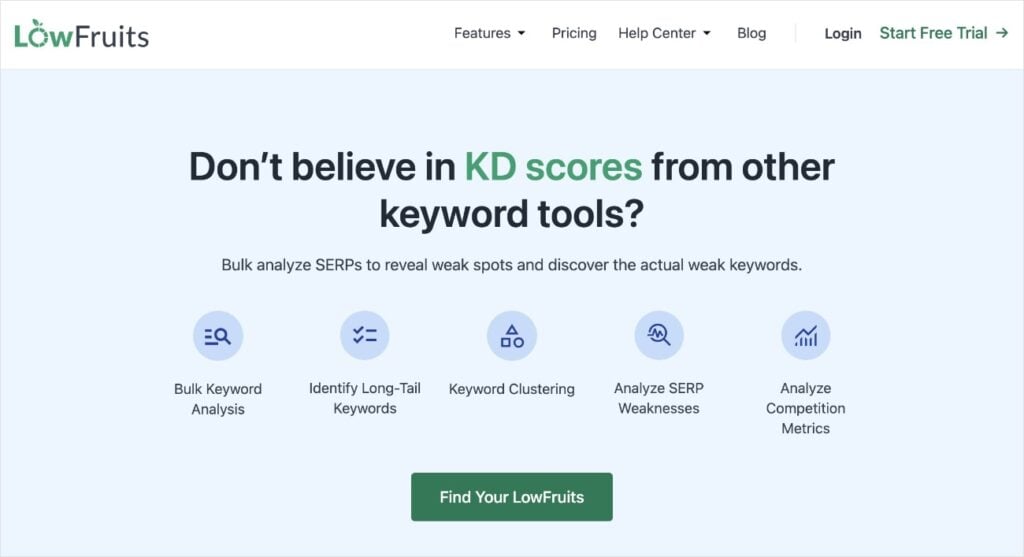
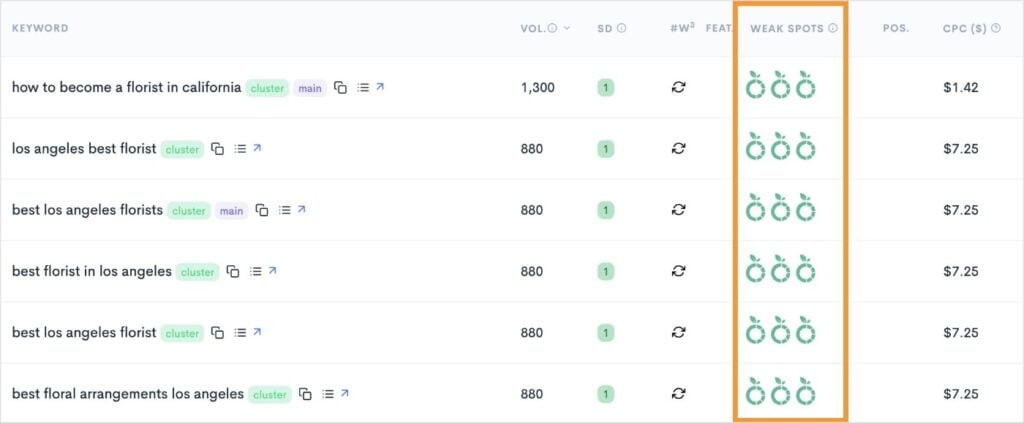
LowFruits is designed to help you find “low-hanging fruit” keywords in search engine results pages (SERPs). It automatically identifies Weak Spots, which are low-authority websites ranking surprisingly high.
If you see a keyword with multiple Weak Spots, you know the competition is weak, and your well-optimized content has a high chance of taking a top spot.
It also uses more traditional keyword metrics like SERP Difficulty Score (SD). This represents keyword difficulty and ranges on a scale from 1 to 3. 1 is the easiest to rank for, and 3 is the hardest.
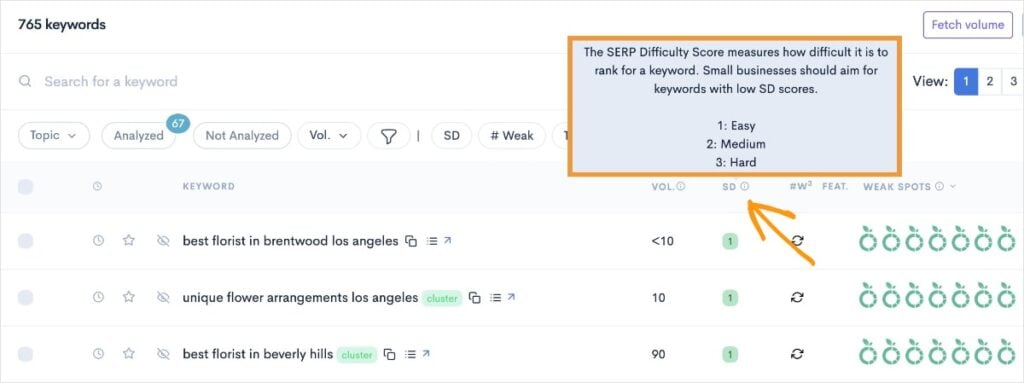
Combined, knowing the SD and number of Weak Spots helps you quickly identify low-competition keywords that are prime for ranking. You can use your content optimization tools to target these keywords and boost your chances of appearing high in SERPs.
What makes LowFruits different from other SEO keyword research tools?
Instead of focusing on giving you all the keywords and metrics possible, Lowfruits specializes in revealing long-tail keywords. These queries have less competition and drive more targeted traffic to your site.
Plus, you don’t have to sift through thousands of keywords, data points, or filters to find them.
Now, that you know how to pick your keywords, let’s look at the criteria I used to select content optimization tools that will help you rank for them.
The Criteria I Used to Make This List
After 6+ years in digital marketing, I’ve used my fair share of SEO tools. Here’s the criteria I used when curating the content optimization tools to include in today’s lineup:
- Effectiveness & Accuracy: I chose tools that provide data and recommendations that are proven to help content rank. This means they go beyond basic keyword counts to analyze semantic relevance, user intent, and competitive gaps.
- User-Friendliness & Workflow: The tools had to be easy to use and integrate well into a content creation workflow. This is especially important for beginners who don’t want to get lost in a sea of data. A great tool should feel like a partner, not a roadblock.
- Comprehensive Features: I looked for tools that go beyond a single function. The best platforms offer a full suite of features, from live editors and content briefs to competitive analysis and even AI assistance, providing value at every stage of the content lifecycle.
- Strategic Value: A great tool doesn’t just tell you what to do; it helps you understand the why. The tools on this list support a broader content strategy by helping you build topic authority and find opportunities that drive business goals, not just traffic.
- Pricing & Accessibility: I’ve included a range of tools to fit different budgets. The goal was to provide options for everyone, from individuals on a tight budget to larger content teams and agencies.
Best Content Optimization Tools for Ranking Higher in SERPs
I’ve tried and tested countless tools over my digital marketing career. These are my favorite for content optimization:
1. SEOBoost

SEOBoost is an all-in-one content optimization platform designed to help you with every stage of content creation, from initial topic ideation to final on-page SEO checks.
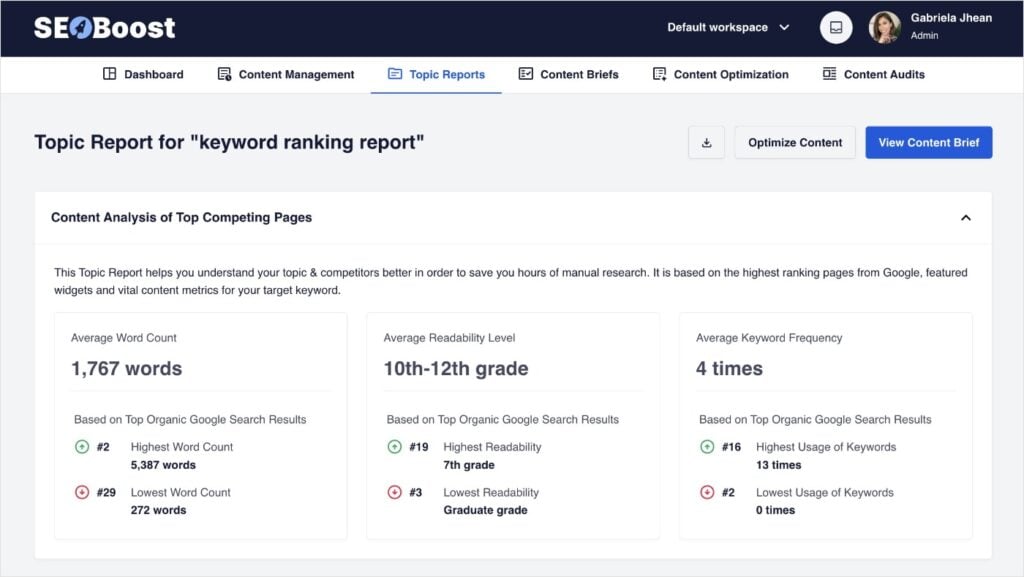
Personally, I start almost every new content idea in the Topic Report feature.
After entering a seed keyword, the tool generates a content brief from its analysis of the top 30 search results. This brief acts as your blueprint, outlining ideal word count, readability level, key phrases to include, and even suggested outbound links.
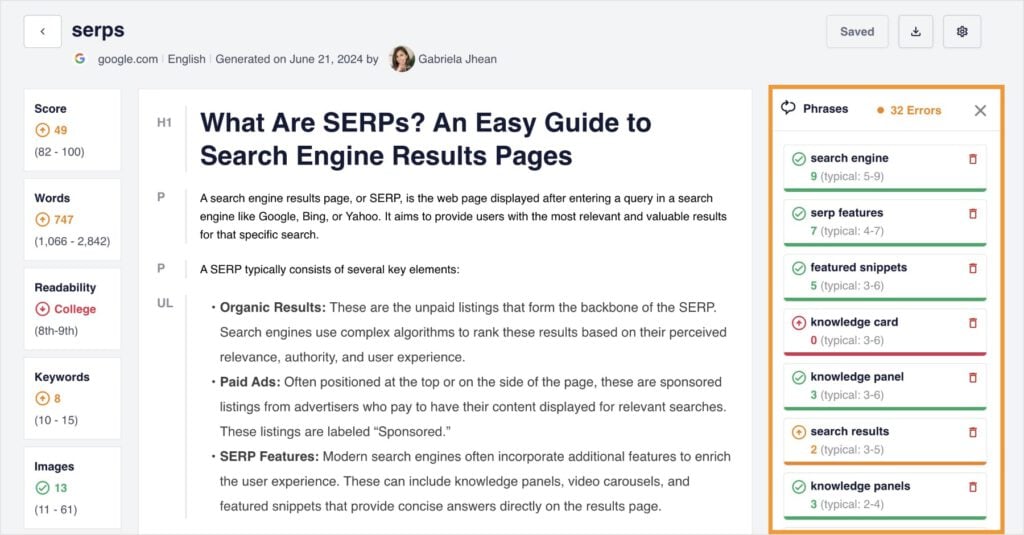
I’ve found it particularly useful for on-page SEO, too. You can use the Content Optimization feature to analyze your existing content, suggest related keywords, and recommend how many images to include.
The real-time SEO score provides a constant feedback loop, so you can see your optimization efforts pay off as you write.
Key Features:
- Topic Reports: Analyzes and identifies high-performing competitors for your target keyword. Get a comprehensive understanding of the type of content performing well in SERPs.
- Content Briefs: This feature automatically generates a strategic content brief based on a keyword’s top organic search results.
- Content Audits: Analyzes your existing content to identify where it has keyword gaps and what topics you need to add to your website to build authority.
- Content Management: This feature provides an all-in-one hub for content planning and collaboration, including an actionable calendar and streamlined workflows for teams.
Best for: AI-driven content analysis and SEO-optimized writing.
Pricing: Starts at $22.50 per month.
2. Surfer

Depending on the UI, sometimes I prefer working in Google Docs then pasting into an SEO tool after the fact. This is largely due to certain tools feeling too busy and distracting with their SEO recommendations.
However, with Surfer, I actually enjoy writing directly in the platform. It has a minimalist design that’s easy on the eyes, and the SEO feedback doesn’t clutter the page.
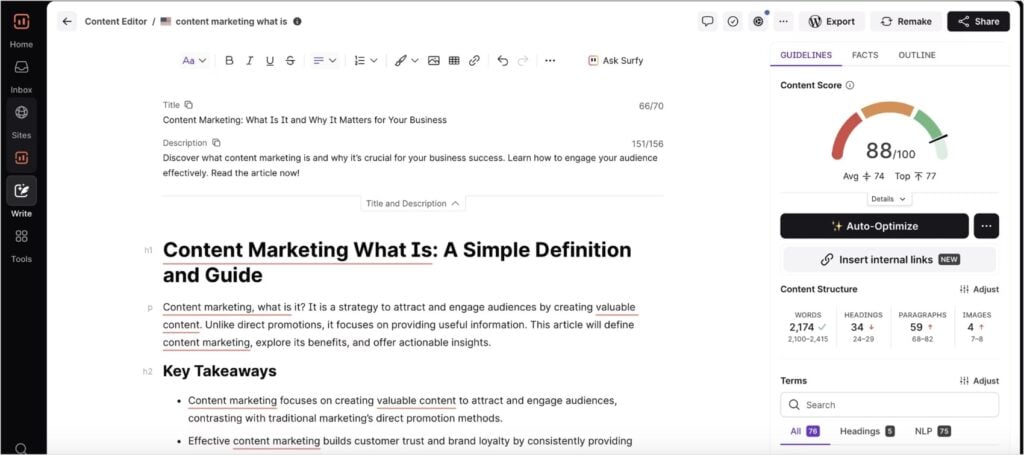
Surfer is a content optimization platform that helps you plan, write, and audit your content with data-driven insights.
When I use the Content Editor, I keep an eye on the score, which guides me naturally to include relevant phrases and topics. I’ve found this process not only makes content more effective but also helps me avoid writer’s block by providing a clear structure to follow.
Key Features:
- Content Editor: This is Surfer’s flagship feature. It provides a live SEO score based on competitor analysis. The editor gives you a list of relevant keywords, a target word count, and suggestions for headings and images.
- Content Audit: Analyzes your existing content by connecting to your Google Search Console data and provides a list of actionable recommendations for improvement.
- Content Planner: Helps you discover new topics and content clusters to build a comprehensive content strategy.
- Surfer AI: An AI SEO tool that can generate ready-to-rank articles or outlines based on Surfer’s data.
Best for: All-in-one content workflow with a focus on a live editor.
Pricing: Starts at $79 per month.
3. Frase

Frase is an AI-powered content optimization tool that helps you research, write, and optimize content faster. It’s best known for its ability to generate comprehensive content briefs and assist with the writing process.
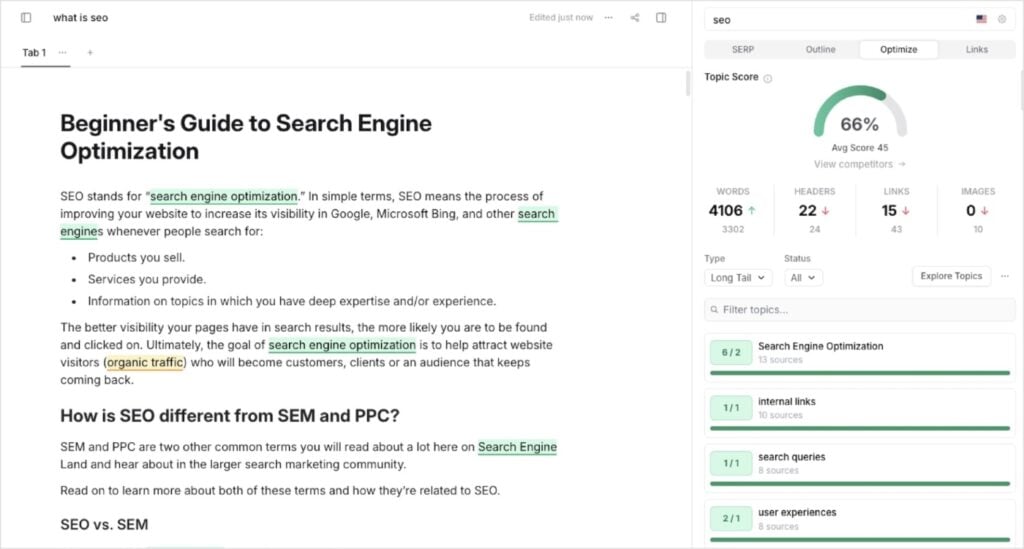
I use it when I need to get a content brief or rough draft put together quickly. Its AI-assisted workflow makes it much faster than having to start from scratch. You give it a focus keyword, and it instantly scrapes the SERP to build your brief. You’ll get suggested headings, topics, questions, and more.
Plus, like Surfer, it has a clean UI that makes following the recommendations easy.
Key Features:
- Content Brief Builder: Automatically generates a detailed content brief based on top-ranking content.
- AI Writing Assistant: A powerful AI tool that helps with writing drafts, generating sections, or expanding on ideas.
- Content Score: Provides a real-time score as you write, guiding you on how well you’ve covered a topic compared to the competition.
- Topic Research: Helps you discover a list of semantically related topics and questions to ensure your content is comprehensive.
Best for: AI-powered content briefs and fast content creation.
Pricing: Starts at $49.50 per month.
4. Clearscope

Clearscope uses AI and natural language processing (NLP) to help you create content. It’s most popular feature is the Content Grade, which evaluates how well your content covers a topic based on what’s already ranking.
In my workflow, I use Clearscope when I’m writing long-form content. It identifies semantically related terms that can help you write more comprehensively on a given topic. It also helps increase your visibility in SERPs as you’re targeting multiple keywords in a single article. (This is a standard SEO best practice.)
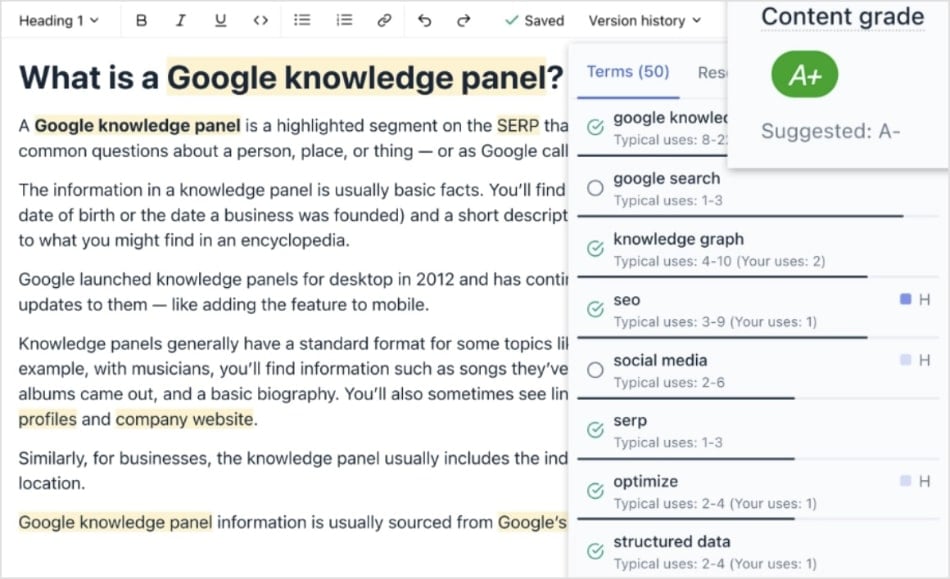
I use it as a final SEO check for almost all my content. The grading system is easy to understand, and the keyword usage insights are extremely helpful for improving your grade.
Key Features:
- Content Grade: Provides a live letter grade that evaluates your content’s relevance and comprehensiveness in real-time.
- Content Editor: A clean and simple editor that gives you feedback on topic coverage, readability, and word count.
- Semantic Term Recommendations: Provides a list of semantically related keywords and topics to include, helping you create authoritative content without keyword stuffing.
- Integrations: Seamlessly integrates with Google Docs and WordPress, allowing you to work in your preferred environment.
Best for: Creating in-depth, high-quality content with a strong focus on semantic SEO.
Pricing: Starts at $189 per month.
5. MarketMuse

MarketMuse is an AI-powered content strategy platform that helps you research, plan, and optimize content. It’s focused on building topical authority and analyzes your content library to find gaps and opportunities.
I use it when a client needs a long-term content roadmap, not just a single article brief.
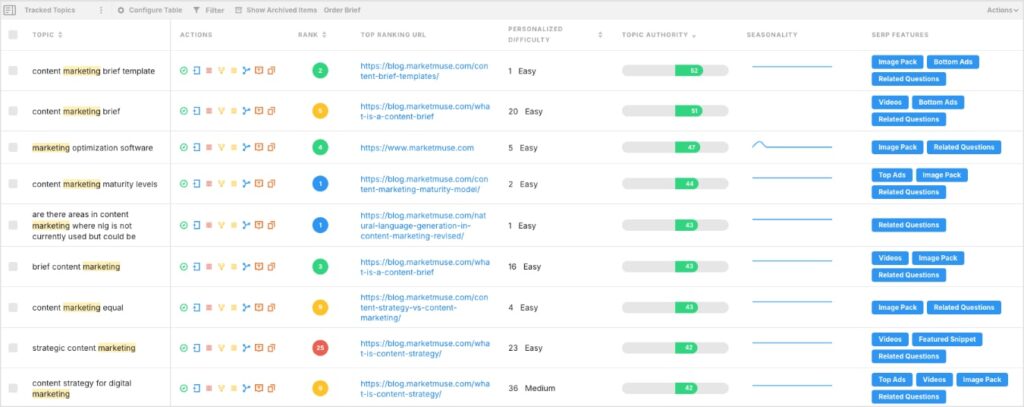
Its core function is to analyze you entire website and compare its content to the top-ranking pages in your niche. This process identifies what topics you have authority on, where your competitors are weak, and which areas you need to build content for.
You get a personalized difficulty score for a topic, which is a unique metric that gauges how hard it would be for your specific site to rank, rather than a generic difficulty score.
Key Features:
- Content Audits: Analyzes your entire website’s content to identify gaps in your topical coverage and areas where you can improve.
- Content Briefs: Generates detailed content briefs with structural outlines, suggested headings, internal link targets, and relevant questions.
- Personalized Scoring: Provides a personalized difficulty score measures how difficulty it would be for your site specifically to rank for a particular keyword.
- Topic Gap Analysis: Compares your content to your competitors’ to find topics they’ve missed, giving you a clear path to stand out and build authority.
Best for: Enterprise-level content strategy and auditing.
Pricing: Free plan available. Contact MarketMuse for pricing of paid plans.
6. GrowthBar

GrowthBar is an AI-powered SEO tool that helps marketers and bloggers create better content in less time. It’s best known for its user-friendly interface and powerful AI that can quickly generate optimized content outlines and articles.
In my worflow, I’ve found GrowthBar to be useful when I need to get a content idea off the ground. Its Chrome extension is a huge time-saver. It gives me keyword data and a content outline right from the Google search page.
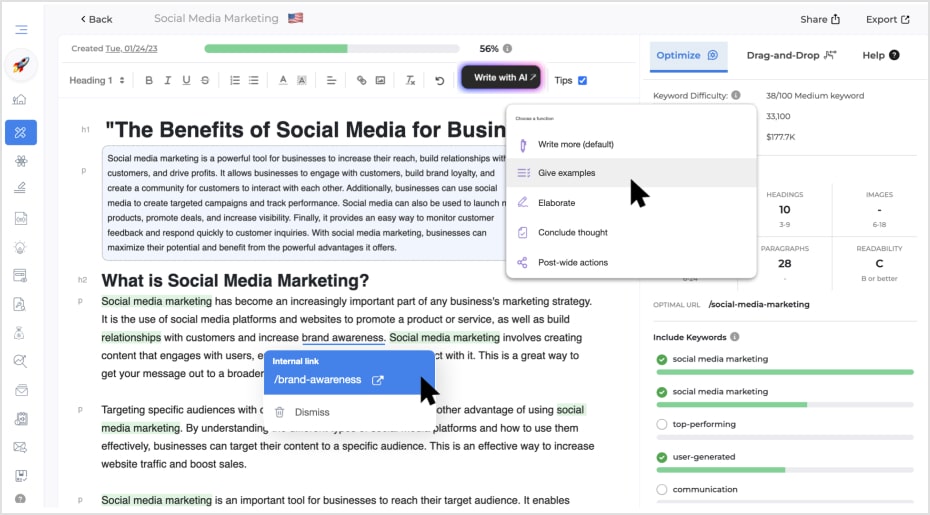
For a new blog post, I’ll use its AI to generate a detailed outline, which is a strong starting point that gives me a clear structure to follow. I’ll then use its content editor to write and optimize the content, following its SEO recommendations.
Key Features:
- AI Content Outline Generator: Automatically generates a comprehensive blog post outline in minutes, based on the top-ranking results for your keyword.
- AI Blog Post Generator: A powerful AI tool that can create a full, SEO-optimized blog post from a simple prompt.
- Keyword Research Tool: Provides a database of keywords with metrics like search volume, keyword difficulty, and competitor insights.
- Chrome Extension: A user-friendly browser extension that gives you instant SEO data, including keywords and competitor analysis, right from Google.
Best for: Quick content optimization for bloggers and small businesses.
Pricing: Starts at $36 per month.
7. All in One SEO
My last recommendation is specifically for WordPress users.
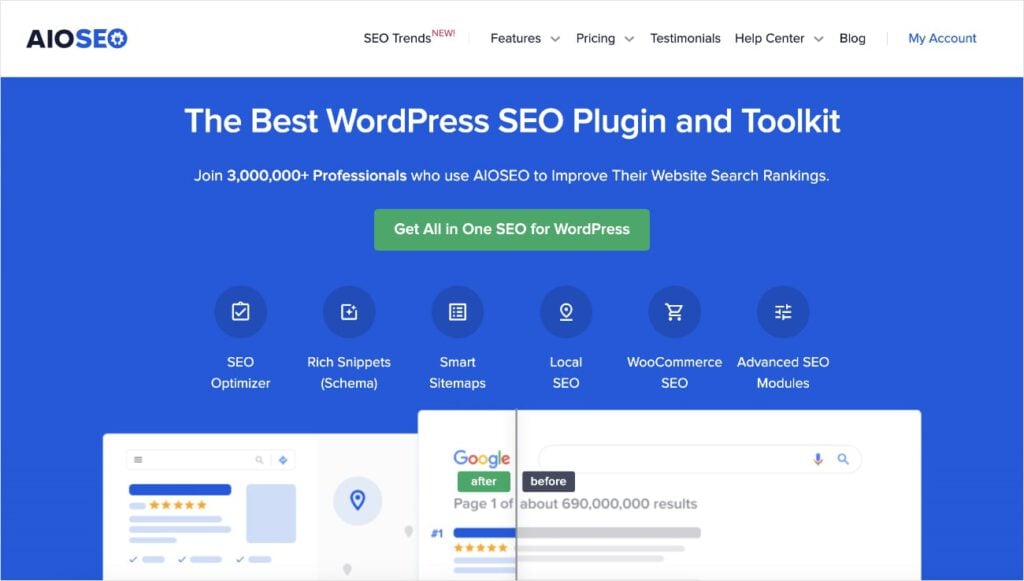
All in One SEO (AIOSEO) is a powerful WordPress plugin that acts as a complete SEO toolkit. It goes far beyond simple on-page SEO, providing technical SEO fixes and outbound linking suggestions. Combined, all its features work together to get your content ranking in search engines and loading fast for users.
I’ve been using it for the past 2 years and have been impressed with how often they release new features. You can tell they really listen to their customers and apply feedback as they develop the plugin. (Their support team is also one of the best in the industry.)
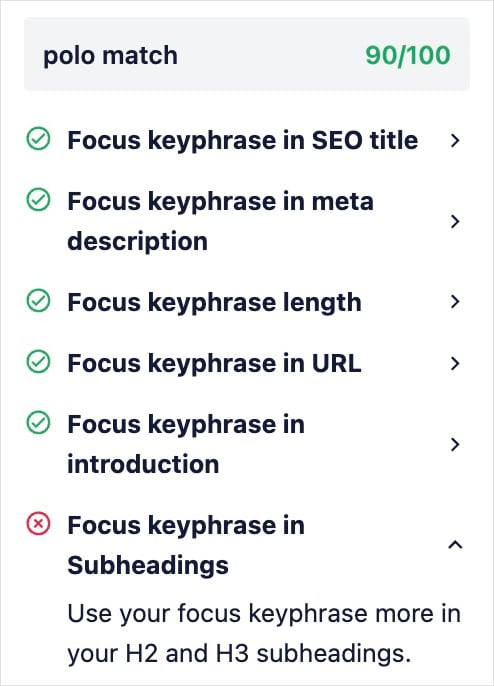
For content optimizations, the TruSEO On-Page Analysis tool gives you real-time feedback on your SEO. It has a Focus Keyphrase Checklist that lets you know when you’ve forgotten your focus keyword in critical areas.
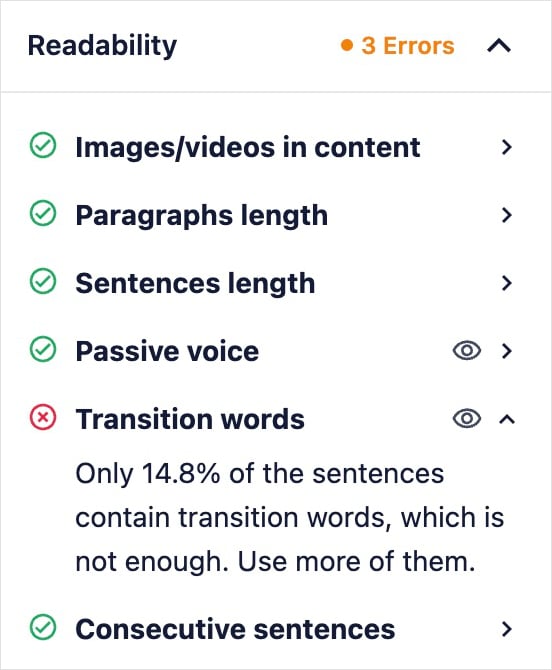
It also checks your readability, and gives you actionable recommendations for improving your score. This can boost engagement metrics, and, ultimately, your rankings.
Key Features:
- TruSEO Score Analysis: A live on-page analysis tool that provides a real-time score and actionable recommendations as you write, based on over 70 SEO factors.
- AI Content Generator: An AI tool that can automatically generate optimized titles, meta descriptions, FAQs, and key points to help you stand out in search results.
- Link Assistant: An internal linking tool that automatically scans your content, identifies relevant linking opportunities, and suggests internal links to strengthen your site’s structure.
- WordPress Schema Generator: Allows you to easily add schema markup (like FAQ, product, and recipe schema) to your pages without touching any code. This helps you get rich snippets in search results.
Best for: WordPress users who need a built-in content optimization plugin.
Pricing: Starts at $49.60 per month.
Fun fact: AIOSEO offers an integration with the first content optimization tool in our lineup, SEOBoost. This feature is called the AI Content Generator, which connects both accounts directly in WordPress to give you SEO feedback as you write.
Putting It All Together: A Winning Content Optimization Workflow
Now that you know the players, here’s a simple, effective workflow that combines these SEO content optimization tools into a winning strategy.
- Step 1 (Research): Before anything else, use LowFruits to find a keyword with a low SD score and multiple Weak Spots. This ensures you’re targeting a high-opportunity keyword that you can actually rank for.
- Step 2 (Plan): Use a tool like SEOBoost or Surfer to build a comprehensive content brief based on that specific keyword. This will give you a list of topics, keywords, and a word count to aim for.
- Step 3 (Create): Write your content, using the optimization tool’s editor (like in Frase or Clearscope) to guide you. The live score will help you stay on track, ensuring you cover all the important points.
- Step 4 (Publish & Check): Publish your content on your site. If you’re on WordPress, use a plugin like All in One SEO for a final check to ensure all on-page elements like your title, meta description, and schema are perfect. Non-WordPress users can run their conten through SEOBoost.
Final Thoughts: The Secret to High-Ranking Content
Successful content optimization isn’t just about one tool; it’s about a strategic workflow. The best content optimization tools are only as effective as the keywords you choose to target.
By starting your process with LowFruits to find high-opportunity keywords, you’re ensuring that all the time and effort you spend on optimization will actually pay off.
This strategic approach will transform your content creation, allowing you to stop wasting time on impossible keywords and start creating content that consistently ranks.
FAQs About SEO Content Optimization Tools
What is a content optimization tool?
A content optimization tool is a software platform that analyzes top-ranking content for a target keyword and provides a data-backed blueprint to help you create content that is more likely to rank and drive organic traffic.
What are the best SEO tools for content optimization?
Some of the best SEO tools for content optimization include Surfer SEO, Frase, Clearscope, and SEOBoost, as well as plugins like All in One SEO. The best tool depends on your specific workflow, budget, and goals.
How do content optimization tools help with SEO?
Content optimization tools help with SEO by providing data-driven recommendations on how to structure your content, what topics to cover, and which keywords to include to improve its relevance and authority in the eyes of search engines.
How do I choose the best content optimization tool for me?
To choose the best content optimization tool for you, consider your needs and budget. If you’re on a tight budget, a simple tool like GrowthBar or a plugin like AIOSEO might be a great start. For a full content workflow, tools like Surfer or SEOBoost offer more comprehensive features.


