
Ever feel like you’re playing a never-ending game of cat and mouse with Google?
One moment you’re ranking high for your most important keyword, and the next, you’ve been cut loose to page 2 (or worse).
This constant fluctuation can be tedious and stressful to monitor.
That’s why having the right SEO tool for keyword ranking reports is essential.
This software provides the clarity and direction needed to navigate the SEO landscape with ease and confidence. But with so many choices, which ones help you stay on top?
I’ve curated the best SEO tools for keyword ranking reports that will keep your strategy sharp, ensuring you can adapt swiftly and maintain your competitive edge.
Let’s dive into the top 9 picks and explore how these tools can empower your SEO efforts.
In This Article
What Are Keyword Ranking Reports?
Keyword ranking reports showcase how your website perform in search engine results pages (SERPs) over time. They tell you where your pages rank for specific keywords that are crucial to your business.
Here’s a closer look at what these reports typically include:
- Ranking URL: The page on your website that is ranking for a specific search query.
- Search Position: The exact position your page holds on SERPs for a particular keyword.
- Historical Data: How your keyword ranking positions has changed over time.
- Traffic Insights: The amount of traffic generated from a specific search query or, at a minimum, the keyword search volume.
- Competitor Comparisons: Some keyword ranking software includes competitor data, but this is less common.
Now that you understand their components, let’s look at why keyword raking reports matter for SEO.
Why Are Keyword Ranking Reports Important for SEO?
Imagine trying to optimize your website without knowing how your keywords are performing. It’s like launching a campaign without ever checking the results — not exactly a recipe for success.
Keyword ranking reports are your performance scorecards. They tell you exactly how your content performs in the organic search landscape. These reports allow you to:
- Identify Opportunities and Threats: Spot SEO wins and potential threats to maintain, or improve, your rankings.
- Measure SEO Effectiveness: Understand what’s working and what isn’t in your SEO strategy. By monitoring these metrics, you can fine-tune your efforts for better results.
- Track Competitor Performance: See how your competitors are ranking for your targeted keywords and strategize accordingly to stay ahead.
- Enhance Decision-Making: Make informed decisions based on real data, not assumptions. This leads to more effective content strategies and marketing plans.
Ultimately, keyword ranking reports are invaluable for anyone serious about SEO. They transform guesswork into actionable insights, allowing you to focus your efforts on strategies that align with your SEO goals.
What to Look for in Keyword Ranking Report Software
I’ve gone through my fair share of SEO tools over the years, and when it comes to rank trackers, not all of them are created equal. Here are the key features I’ve learned that can make all the difference:
- Accuracy: This one is a non-negotiable. If the data isn’t accurate, there’s no point in using the software. It’s critical to trust the information you’re basing your decisions on is reliable and precise.
- Timely Updates: I’ve found that having real-time or frequent updates is hugely important. Being able to respond quickly to changes in your keyword rankings is vital for keeping your strategy agile and responsive.
- Comprehensive Metrics: While rankings are the headline, I’ve learned that having access to additional metrics such as search volume and competitors gives a more complete picture of your SEO health.
- User-Friendly Interface: Let’s be honest — nobody enjoys dealing with complicated software. I always appreciate tools with intuitive interfaces, which let me spend more time strategizing and less time feeling like I’m wrestling with a Rubik’s Cube.
- Competitor Analysis: Knowing what your competitors are up to is often a game-changer. Insights into competitor performance have always helped me fine-tune my approach and plot my next moves with confidence.
- Scalability: If there’s one thing I’ve learned, it’s that the only constant is change. Choosing a tool that can grow with your business and offer scalable solutions is something I prioritize.
These features have guided my selection process, ensuring that the tools I choose don’t just meet current needs — they’re ready to adapt to whatever the future holds. With these essentials in mind, let’s explore some of the top tools that have proven their worth in these areas.
9 Best SEO Tools for Keyword Ranking Reports
1. LowFruits
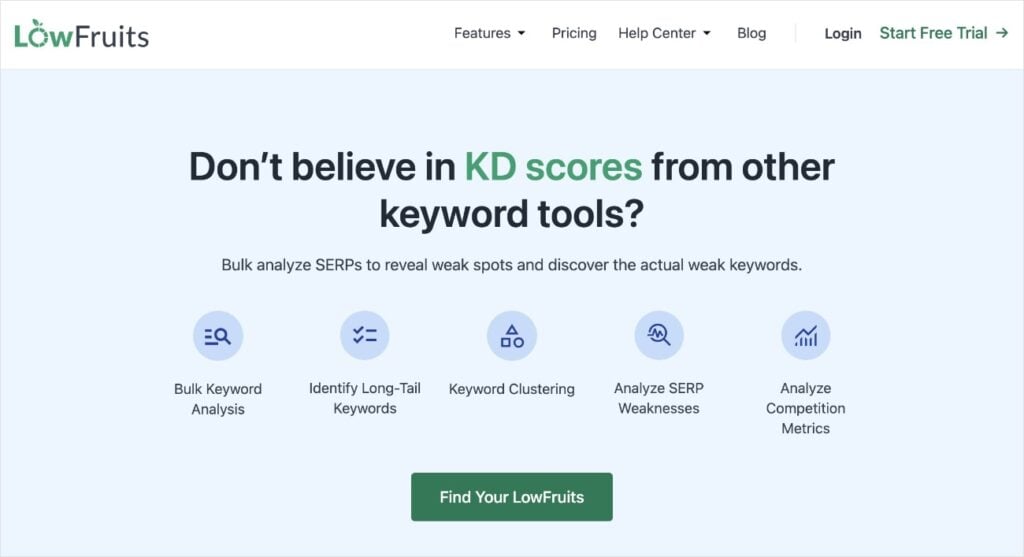
LowFruits is a no-nonsense SEO tool designed specifically for small business owners. Its primary functions are long-tail keyword research and SERP analysis. However, its comprehensive and beginner-friendly Rank Tracker is what earned it a spot in today’s software lineup.
Rank Tracker is one of the easiest keyword ranking reporting tools I’ve ever used. It takes mere seconds to set up, and boom, you’ve got your most important keyword data at your fingertips.
To get started, you navigate to the Tracker feature in the left menu. Then, it will ask you to add your keywords. You can type them manually or copy and paste from another document or software.
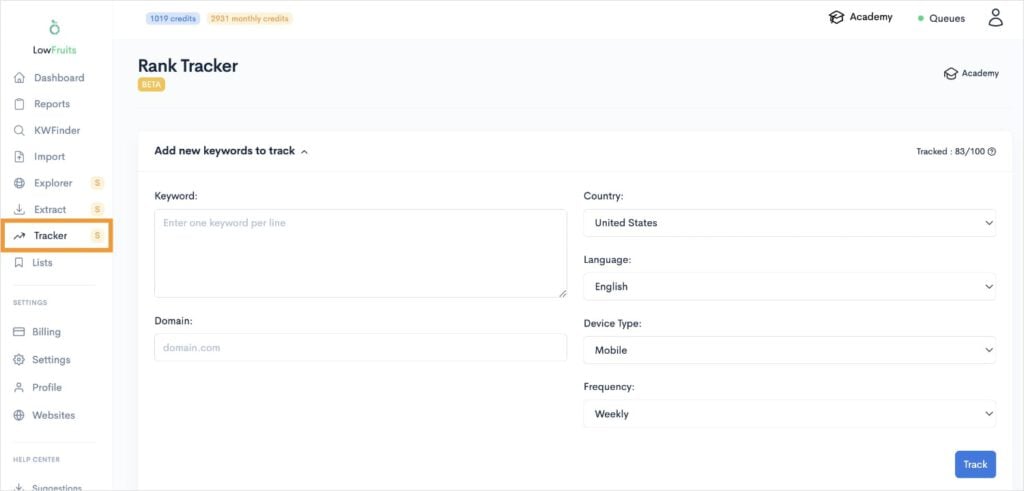
Note: Rank Tracker requires a LowFruits subscription. Standard users can track up to 100 keywords, while Premium users can track up to 500.
From here, you’ll enter your domain (example: lowfruits.io) and adjust your settings. Each setting has a dropdown menu of options, making it fast and easy to complete.
Most are self-explanatory, but I want to highlight the final selection: Frequency.
This setting tells Rank Tracker how often you want it to pull your keyword positions from Google. You can choose daily, weekly, or monthly.
I advise using weekly. It’s not so frequent to complicate reporting with daily fluctuations, but more often than only a monthly assessment.
Once you’ve saved your settings, Rank Tracker will automatically extract and generate your keyword ranking report based on your selections.
Here’s what it will look like:
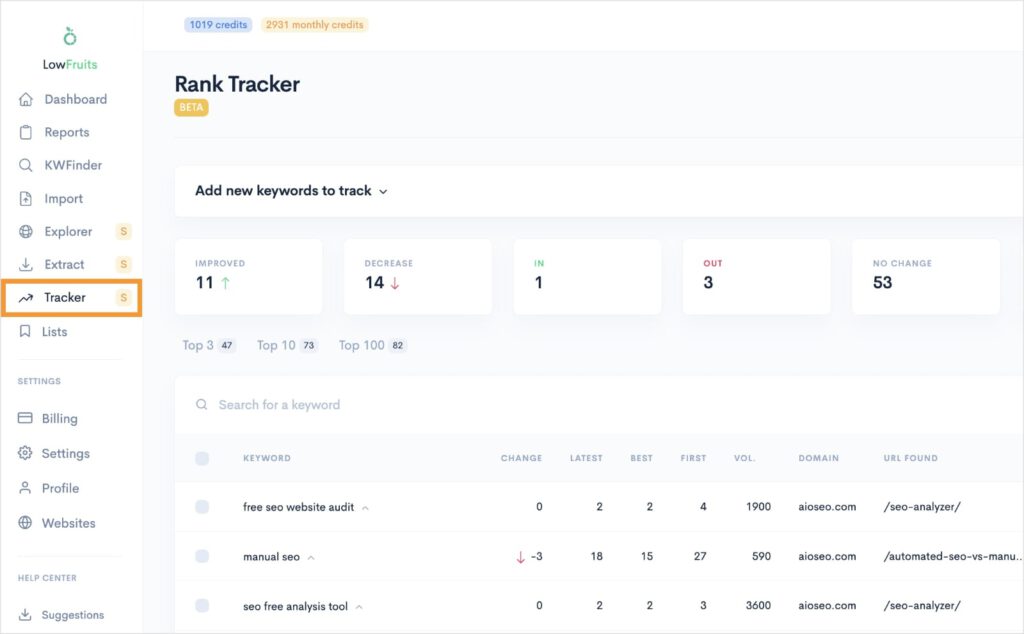
What I really like about LowFruits is how you can see all your ranking data in one intuitive dashboard. It’s easy to change the view and focus on the greatest areas of interest.
For example, if I were analyzing a client’s site for a drop in organic performance, I’d look at the “Decrease” tab to see pinpoint which content has taken a hit.
I also like how you can expand any keyword to its historical ranking positions and competitors.
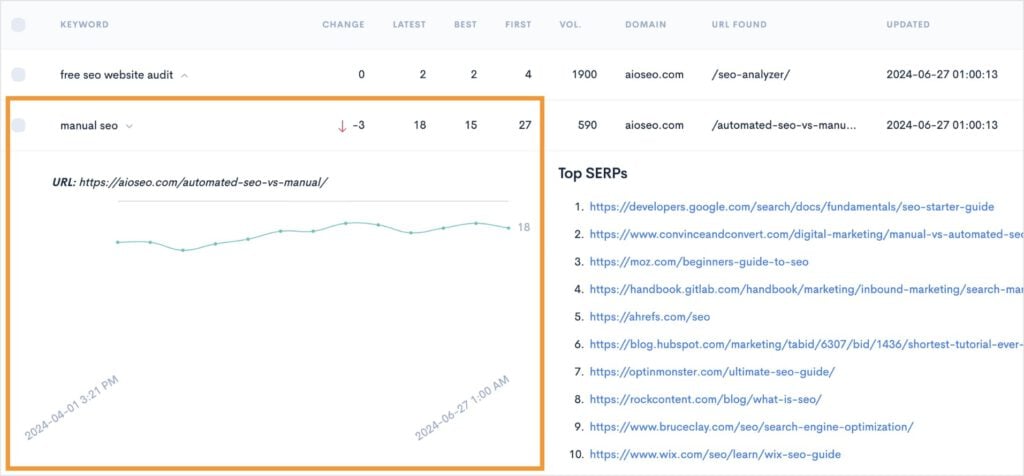
As a visual person, I really appreciate the line graph to understand how a keyword’s performance has changed over time.
And, to the right, you’ll have a list of the top 10 organic search results in real-time.
Overall, LowFruits’ Rank Tracker packs a powerful punch for monitoring keyword performance. Plus, it’s really easy to get started and comes at a budget-friendly price point.
LowFruits Pricing: Rank Tracker requires a LowFruits subscription, which starts at $249/year with 100 tracked keywords.
LowFruits Pros and Cons
- Pros: User-friendly setup, efficient data visualization, budget-friendly pricing
- Cons: Requires a LowFruits subscription to access
2. Ahrefs

Ahrefs is a staple in the SEO world, offering a comprehensive suite of tools. It’s known for its robust keyword research and competitor analysis capabilities.
It also has powerful keyword ranking reporting software.
Getting started with the Ahrefs Rank Tracker is simple. You enter your keywords manually or import them. I like how you can also connect to Google Search Console (GSC) for even deeper insights.
Once you’ve entered your keywords, you’ll make similar selections to LowFruits, like country and device settings.
Now, something that’s unique is that you can also enter up to 10 competitor URLs. This is particularly beneficial for understanding the competitive landscape in your niche.
Ahrefs will then present a wealth of keyword insights, including:
- Search rankings
- Average keyword position
- Traffic for your keywords
- Change in positions
- SERP features
Overall, it’s an easy choice for one of the best SEO tools for keyword ranking reports. Due to its comprehensiveness and additional features, it’s also considered one of the best digital marketing tools for small businesses.
Ahrefs Pricing: Starts at $129/month with 750 keywords.
Ahrefs Pros and Cons:
- Pros: Comprehensive data, strong competitor analysis, integrates with other Ahrefs features
- Cons: May have a learning curve for newcomers, priced on the higher side compared to some alternatives
3. Semrush
Semrush is the industry standard for all things SEO. I’ve been using it since I started my SEO journey 6+ years ago, and it still remains one of my favorites.
With that said, it’s not the easiest for beginners. Or small budgets.
Semrush comes at a cost (starts at $139.95/month) and a learning curve.
However, if you’re using it for keyword ranking reports, it’s pretty quick to get the hang of.
When getting started, you can add your domain—or even explore your competitors’—and input a list of keywords to monitor. The tool supports tracking across multiple search engines, including Google, Bing, and Baidu, ensuring broad coverage. (This is a huge advantage for international site owners.)
Semrush goes beyond just traditional position tracking by also revealing which of your keywords have SERP features. It also allows you to explore competitors’ ranking keywords and see position changes over time. This ability to compare performance is invaluable in fine-tuning your strategy.
One of the standout features is its integration with Google Analytics and Search Console. This ensures that your data is both accurate and up to date, saving you the hassle of switching between platforms. Plus, having all your tools in one place streamlines your SEO efforts considerably.
Semrush Pricing: Starts at $139.95/month with 500 tracked keywords.
Semrush Pros and Cons:
- Pros: Comprehensive position tracking, integrates with Google performance tool, strong competitor insights
- Cons: Depth of features can be overwhelming for newcomers, high price point
4. SE Ranking
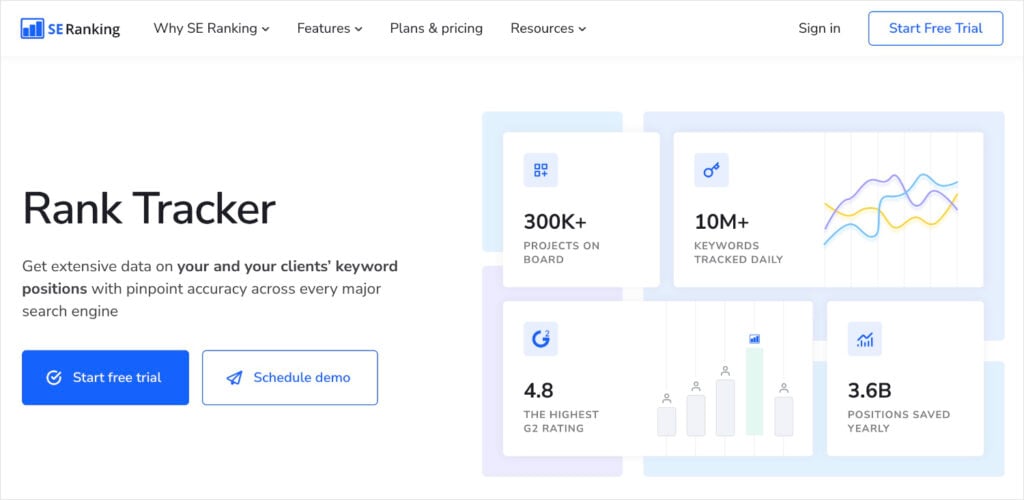
If you’re looking for a more wallet-friendly alternative to Semrush, SE Ranking is a solid contender.
This all-inclusive SEO platform is good for both DIY SEOs and small agencies.
Setting up SE Ranking’s Rank Tracker is very intuitive, catering to users of varying expertise levels. You can easily track rankings across multiple major search engines, including Google, Bing, Yahoo, and even YouTube, making it a flexible choice for those managing diverse content types, including video.
In addition to tracking ranking positions, SE Ranking provides a variety of insights into keyword performance, including SERP features, traffic forecasts, and content scores. The platform also emphasizes competitor analysis, allowing you to keep a close eye on how rivals rank for your chosen keywords.
Ultimately, SE Ranking was designed with teams in mind, featuring collaborative capabilities that are particularly beneficial for small agencies needing efficient coordination and reporting.
SE Ranking Pricing: Starts at $52/month with 500 keywords tracked daily.
SE Ranking Pros and Cons:
- Pros: Affordable, robust feature set for the price, ideal for team use and competitor tracking.
- Cons: Advanced features might be limited in lower-tier plans, potentially requiring upgrades for full functionality
5. Rank Tracker by SEO Powersuite
Rank Tracker by SEO PowerSuite caters to both individuals and teams seeking in-depth analysis. It has powerful features for tracking keyword positions across multiple search engines.
To use this keyword ranking report software, you’ll need to install it to your desktop. It’s available on Windows, Apple, and Linux.
Once installed, you get a lot of flexibility in managing both local and international keyword tracking. It supports unlimited desktop and mobile position tracking, which is great for when you’re wanting to keep an eye on everything.
You can also look at traffic forecasts and visibility by specific search engine.
However, what really makes this one of the best SEO tools for keyword ranking reports is its reporting features. Rank Tracker has custom rank tracking reports you can use — and they’re all fully customizable.
You can also do white-label reporting, which keeps your documents on brand.
Overall, it’s an excellent option if you’re looking to share keyword ranking reports with clients.
Rank Tracker Pricing: It’s free to check keyword rankings. However, if you want to track them, you’ll need to upgrade to a paid plan.
Rank Tracker Pros and Cons:
- Pros: Detailed analytics, customizable reporting, supports cross-platform tracking
- Cons: Desktop installation required, can have a steeper learning curve
6. SERPWatcher by Mangools
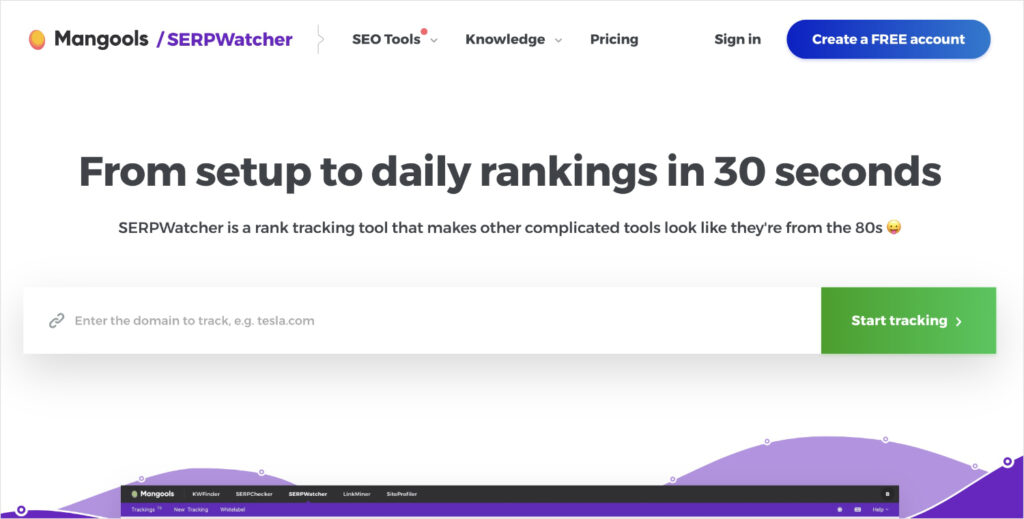
SERPWatcher is part of the Mangools suite, which simplifies keyword tracking with its intuitive design.
With SERPWatcher, you can track keyword positions by entering your domain and desired keywords. (As you’ve probably learned by now, this is similar to most rank trackers, including LowFruits.)
You can also import keywords from a spreadsheet or the Mangools’ KeywordFinder tool, which can be convenient options.
The tool provides features such as keyword distribution, position fluctuations, and customizable reports, making it easy to stay informed. I also find the visual reports particularly helpful for quickly digesting insights.
SERPWatcher Pricing: Starts at $29/month with 50 keywords tracked daily.
SERPWatcher Pros & Cons:
- Pros: Clean design, beginner-friendly, comprehensive keyword insights
- Cons: Higher keyword count requires more expensive plans
7. Moz Pro
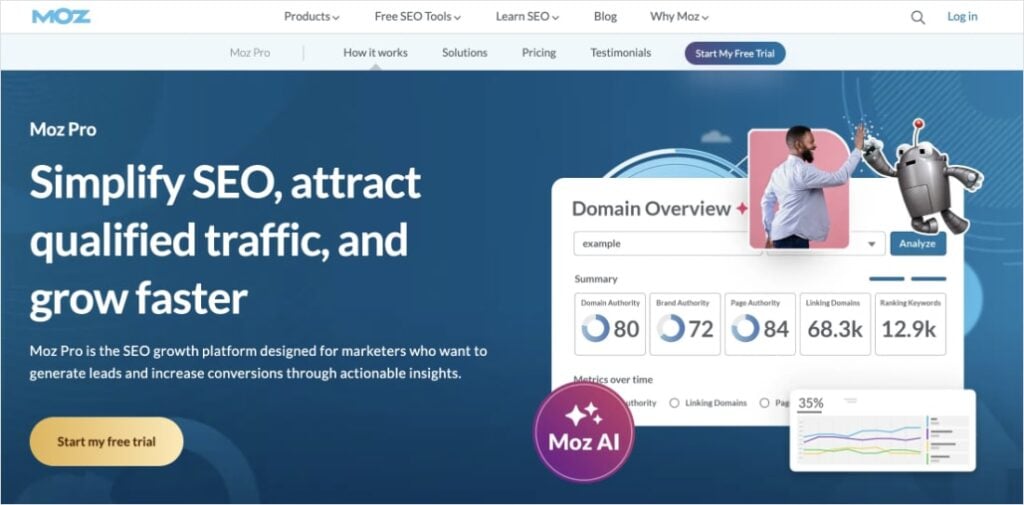
Similar to Ahrefs and Semrush, Moz Pro is another popular all-in-one SEO tool.
Getting set up with its Rank Tracker is simple and straightforward. You can track rankings across multiple search engines, including Google and Bing, right out of the gate. Simply input your keywords and set parameters such as location and device type for a tailored tracking experience.
Moz Pro also offers insights beyond rank positions. You get additional metrics, like keyword difficulty, estimated search volume, and CTR. This data helps you refine your SEO strategy by identifying easy areas for improvement.
I also like how Moz Pro provides a clear picture of your SEO evolution with easy-to-interpret graphs and charts. This makes understanding your change in performance simpler than having to comb through hundreds of data points.
Overall, it’s a strong contender for a rank tracking tool and comes at a lower price point than either Ahrefs or Semrush.
Moz Pro Pricing: Starts at $49/month.
Moz Pro Pros and Cons:
- Pros: User-friendly interface, comprehensive keyword data, well-supported documentation
- Cons: Compared to some competitors, data updates may be less frequent; certain advanced features require higher-tier plans
8. All in One SEO [WordPress]
My next two recommendations for the best SEO tool for keyword ranking reports are WordPress plugins. This means you’ll need a WordPress site to use them.
First up is All in One SEO (AIOSEO).
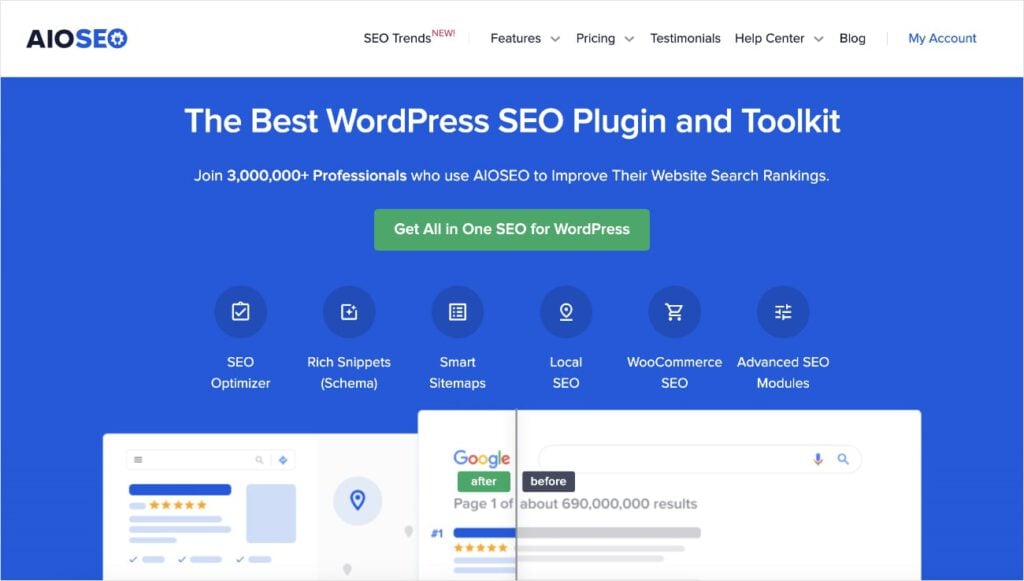
AIOSEO is the leading SEO plugin for WordPress. It has over 3 million active installs and glowing reviews on WordPress.org. I use it for WordPress clients and recommend it to small business owners because it’s very beginner-friendly.
As for keyword ranking reports, it has a Keyword Rank Tracker that’s built directly into your WordPress dashboard. Its 1-click Google Search Console Integration gives you immediate access to keyword metrics and rankings.
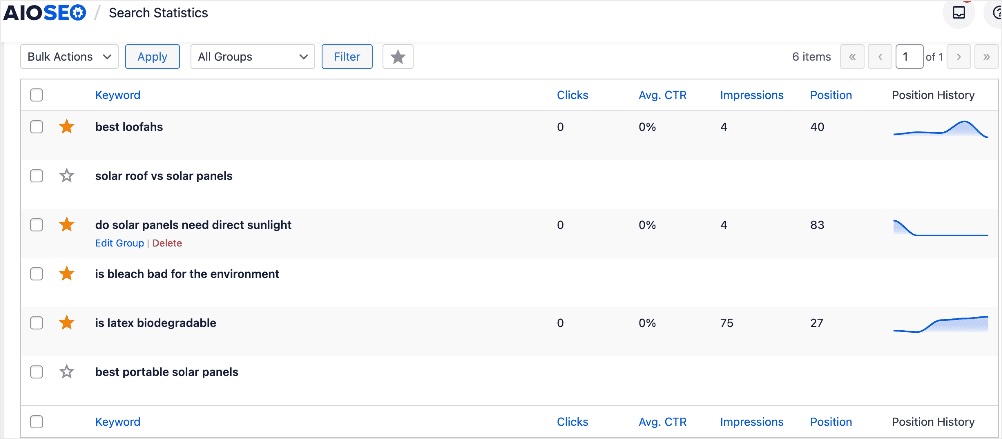
Like LowFruits, you can see your position history over time. However, where the two tools differ is that AIOSEO also shows GSC metrics like clicks, clickthrough rate (CTR), and impressions.
This can be particularly helpful when you’re trying to understand your content’s performance in organic search results.
AIOSEO also has some unique features that go with its Search Statistics module, which is the umbrella feature for Keyword Rank Tracker and others tools. For example, its Content Decay Analysis tool let you know when a specific web page starts to slip.
Finally, I want to point out that one thing I love about their keyword ranking report software is that it has automated SEO reports. You can have your keyword reports straight to your inbox.
Pretty convenient, if you ask me.
AIOSEO Pricing: Search Statistics requires an Elite plan, which costs $299.60/year.
AIOSEO Pros and Cons:
- Pros: Seamless integration with WordPress, user-friendly interface, comprehensive SEO management
- Cons: Must have a WordPress site, premium features require higher-tier plans
9. MonsterInsights [WordPress]
MonsterInsights is the second WordPress plugin I’d recommend, but unlike AIOSEO, it focuses on Google Analytics (GA). It simplifies tracking and analyzing keyword performance by integrating with your GA metrics.
With MonsterInsights, you gain access to the Search Console Report. This report displays your website’s top 50 search terms and their average ranking positions.
Like AIOSEO, you also get data on metrics like clicks, impressions, and CTR.
One of the best things about MonsterInsights is how it eliminates the learning curve associated with Google Analytics. It presents data in a user-friendly format that’s easy to interpret.
You can quickly find out what keywords your site is ranking for and see how its performance changes over time.
MonsterInsights Pricing: Starts at $99.60/year with 50 Google search terms.
MonsterInsights Pros and Cons:
- Pros: Direct integration with WordPress, easy-to-interpret analytics, no complex setups required
- Cons: Only for WordPress users
How to Choose the Right Tool for Your Needs
We’ve explored 9 options for ranking reporting tools. Now, it’s time to consider which one is best for you.
Here’s how to navigate these options to ensure your selection aligns with your needs:
- Define your objectives. Are you looking to track keyword ranking reports for your own insights or to share with clients? How often do you want to track your rankings? Do you need additional SEO features?
- Consider your budget. Tools like LowFruits or SE Ranking offer competitive pricing, while Semrush is top of the line. Determine your budget and balance it against the features offered to ensure you receive adequate value without overspending.
- Weigh the user experience vs. advanced features. If ease of use is a priority, opt for tools with straightforward interfaces like LowFruits or All in One SEO. If you need advanced features, like backlink analysis, tools like Semrush might be more suitable.
- Think about your existing workflow. Consider tools that integrate well with your existing systems, such as Google Analytics or WordPress plugins. Finding tools that work well with other software in your tool stack can make the transition easier and ensure you’ll actually use it.
By assessing these elements, you can select the best fit for your business and SEO goals.
Final Thoughts
Navigating ranking fluctuations can be daunting, but generating keyword ranking reports is actually quite easy when you have the right tools.
Keyword ranking report software ensures you have the most up-to-date positions and data. By having these insights at your disposal, you can gain a deep understanding into your content’s performance in search results.
For additional resources on improving your visibility in SERPs, check out the following articles:
- Keyword Research for Small Business Owners
- How to Do a SERP Analysis in 5 Easy Steps
- How to Automate Keyword Ranking Reports in LowFruits
- 15 SEO Best Practices That Really Work
Remember, the best time to improve your SEO strategy is now! Equip yourself with the tools and knowledge to take the reins of your online visibility and ensure long-term success.
Happy ranking!


