
If you’re anything like I was when I started digital marketing, you’ve probably heard that keyword research is the “foundation of SEO.” But what does that really mean, especially when you’re on a tight budget?
Keyword research is about finding the exact terms your customers type into Google so you can create that meets their needs. Free keyword research tools are how you find these terms without spending a dime.
In this article, I’ll share the best free keyword research tools I’ve used in my 6+ years as an SEO specialist. You’ll also get a quick-and-easy run down of how to each one, plus pro tips for getting the most out of their features.
In This Article
- The Importance of Keyword Research (Your SEO Blueprint)
- What I've Learned About Free Keyword Research Tools
- 9 Best Free Keyword Research Tools
- 1. Google Search Console (The "Already Ranking" Tool)
- 2. Google Keyword Planner (The "Big Idea" Tool)
- 3. Google Trends (The "Seasonality" Tool)
- 4. Google Autocomplete (The "Instant Insight" Tool)
- 5. AnswerSocrates (The "People Also Ask" Tool)
- 6. Ahrefs Keyword Generator (The “Quick Win” Tool)
- 7. Ubersuggest (The “Beginner’s All-in-One” Tool)
- 8. AnswerThePublic (The "Question" Tool)
- 9. Keywords Everywhere (The Browser Extension)
- What Free Tools Are Missing (And Why You Still Need a Paid Tool)
- Final Thoughts
- FAQs About Free Keyword Research Tools
The Importance of Keyword Research (Your SEO Blueprint)
Before you write a single word of content, you have to know:
- What you’re writing about.
- Who you’re talking to.
This is where keyword research comes in. It’s more than just finding popular search terms; it’s about understanding the mind of your customer. In my experience, a good keyword strategy acts as a blueprint for your entire content marketing plan.
Here’s why it’s so critical:
- You’re Using the Language of Your Users: Keywords are the bridge between your content and your audience. By researching them, you learn the exact words and phrases your customers use, helping you create content that speaks directly to their needs.
- You Can Understand Search Intent: Not all searches are created equal. Keyword research helps you decipher why someone is searching—whether they want to learn something (informational), compare products (commercial), or make a purchase (transactional). Aligning your content with this intent is the key to providing a truly helpful experience.
- You Can Find Untapped Opportunities: The most valuable keywords often aren’t the most obvious. Keyword research helps you uncover long-tail keywords and niche topics that have lower competition, giving you a chance to rank where larger, more established websites aren’t. This is essential for building a content marketing strategy that wins.
- You Can Steal Competitors’ Traffic: By analyzing which keywords your competitors are ranking for, you can find gaps in their strategy and create better, more comprehensive content to steal their traffic.
What I’ve Learned About Free Keyword Research Tools
After years of testing countless platforms, I’ve learned that free SEO tools aren’t just for beginners.
In fact, many of the best ones come directly from Google itself. However, they all have a few things in common that you need to know.
Here’s my advice for making the most of your free keyword research tools:
- Look for actionable insights, not just raw data: You don’t need a massive list of keywords; you need a few great ones you can actually rank for.
- Use them together: Each free tool has a unique strength. Combining them creates a much more powerful strategy than relying on just one.
- Free doesn’t mean unlimited: Most free tools have limitations. Learn to work within them to get the best results without hitting a paywall.
- The free data from Google is invaluable: Nothing is more accurate than data straight from the source. Prioritize learning how to use Google’s own tools.
9 Best Free Keyword Research Tools
This is my curated list of the free SEO keyword research tools I actually use and recommend. I’ve broken them down by their primary use case to help you build a well-rounded keyword research workflow.
You’ll notice that the first tools come straight from Google, but I’ve mixed in some third-party tools later in the list.
1. Google Search Console (The “Already Ranking” Tool)
Google Search Console (GSC) is my go-to for finding keywords that I’m already ranking for. It’s the most foundational free SEO tool there is, providing real-life data straight from Google on how your site is performing.
If you’re wondering “what keywords is my site ranking for?”, this is where you find out. Search Console’s Performance report has a Queries tab with all your ranking keywords. It also gives you additional keyword metrics, such as:
- Impressions
- Position
- Clicks
- Click-through rate (CTR)
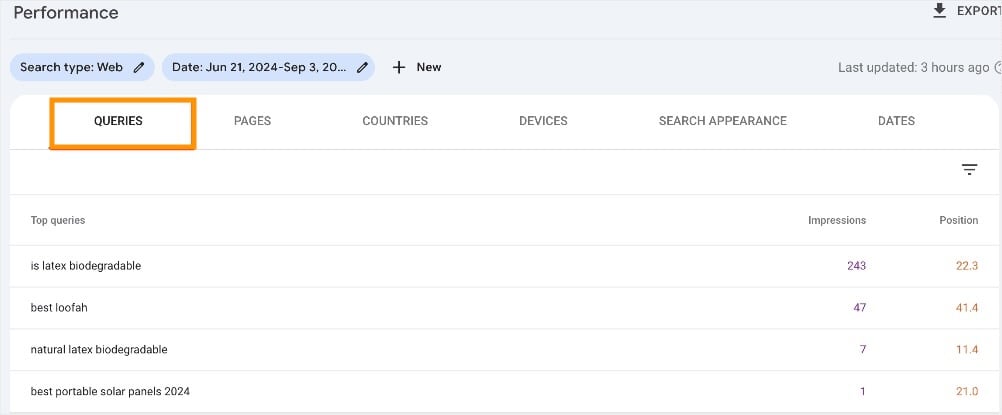
I typically use this report every week to find pages that are on the cusp of ranking on page 1. Then, I optimize my existing content to give it the boost it needs in search engine results pages (SERPs). It’s a fast and easy way to get quick SEO wins for your website.
Keyword Research Features:
- Queries Report: Shows clicks, impressions, and average ranking position for keywords your site is currently ranking for.
- Search Analytics: Provides insights into your site’s organic traffic and performance on Google.
- Internal Link Report: Identifies which pages on your site have the most internal links, which can indicate keyword and topic authority.
Pro Tip: Go to the Performance report and filter for keywords where you’re ranking on page 2 (positions 11-20). These are keywords you’re almost ranking on page 1 for. With a little bit of optimization—like updating your title tag or adding a paragraph of content—can push them to the top.
2. Google Keyword Planner (The “Big Idea” Tool)
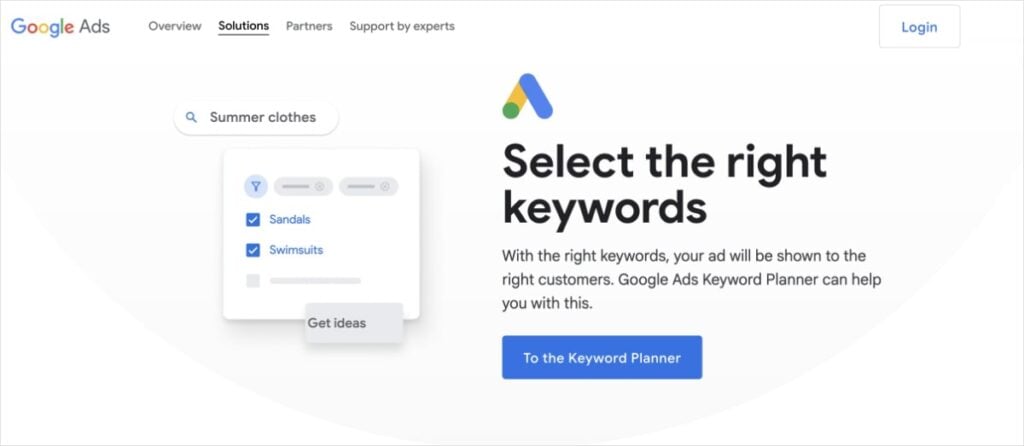
Google Keyword Planner is ideal for finding new topics. It’s part of Google Ads, but you can use it for free to find tons of keyword ideas and get a sense of search volume.
While its data is geared towards paid ads, I’ve found it invaluable for brainstorming new content clusters. It’s my first stop for a new project when I need to get a feel for an entire niche.
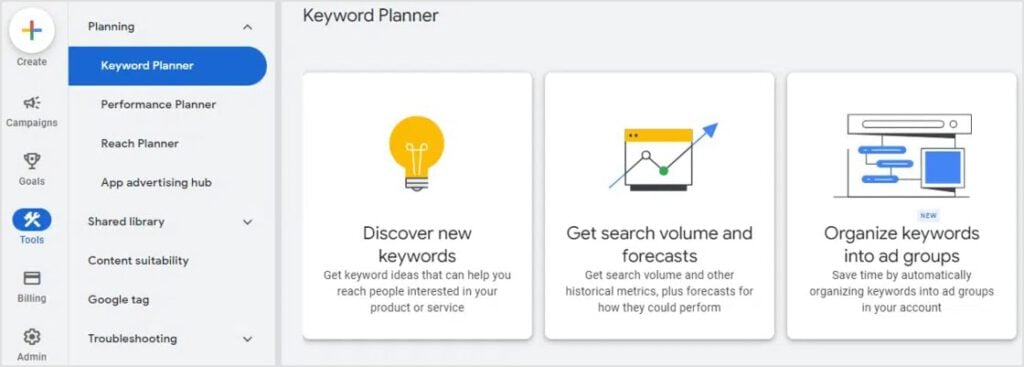
Keyword Research Features:
- Discover New Keywords: Provides hundreds of keyword ideas based on a seed keyword or a website URL.
- Search Volume and Forecasts: Shows monthly search volume ranges and future performance estimates.
- Competition Levels: Provides a competition metric for paid ads, which can sometimes be an indicator for organic difficulty.
- Keyword Grouping: Automatically groups related keywords into ad groups, which is also useful for content clustering.
How to Use It: Enter a broad topic or a competitor’s URL, and it will give you hundreds of related keywords, grouped by theme. This helps you discover new content ideas and topic clusters you might not have considered.
3. Google Trends (The “Seasonality” Tool)
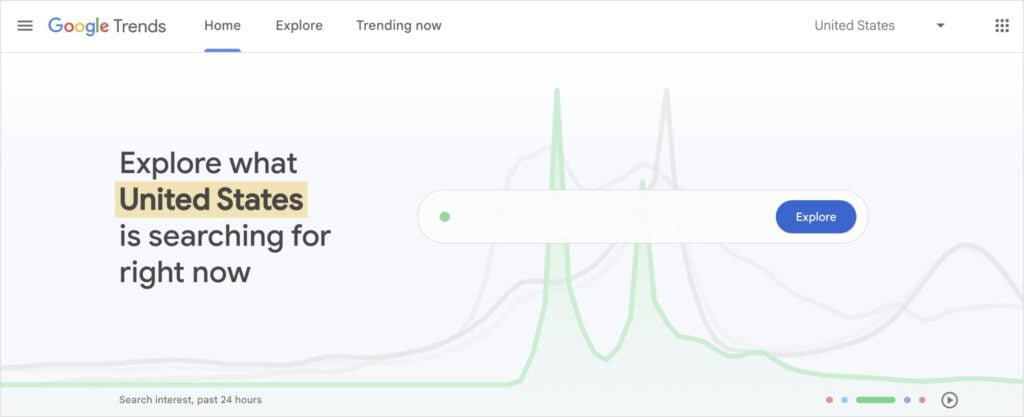
Google Trends shows how a keyword’s popularity changes over time. I use it to avoid writing about topics that are dying out or to time my content to catch a seasonal spike.
For example, if I’m writing about a holiday, I’ll check Google Trends to see exactly when to publish my article to get the most traffic. These insights make it a must-have tool for any content calendar planning.

Keyword Research Features:
- Interest Over Time: Shows the historical search interest for a keyword.
- Related Queries: Provides other popular searches related to your topic.
- Geographic Data: Shows where a keyword is most popular in the world.
- Comparison Tool: Allows you to compare up to 5 different keywords at once.
How to Use It: Check the interest over time to see if a topic is trending up or down. Compare multiple keywords to see which one is more popular and use the “Related Queries” section for content inspiration.
4. Google Autocomplete (The “Instant Insight” Tool)

This is the simplest tool on this list, and arguably the most direct window into user intent. (You’re likely a pro at using it already, too.)
When you start typing a query into Google, the suggestions that appear are based on real searches. This is Google’s Autocomplete feature, which prepopulates the rest of your search.
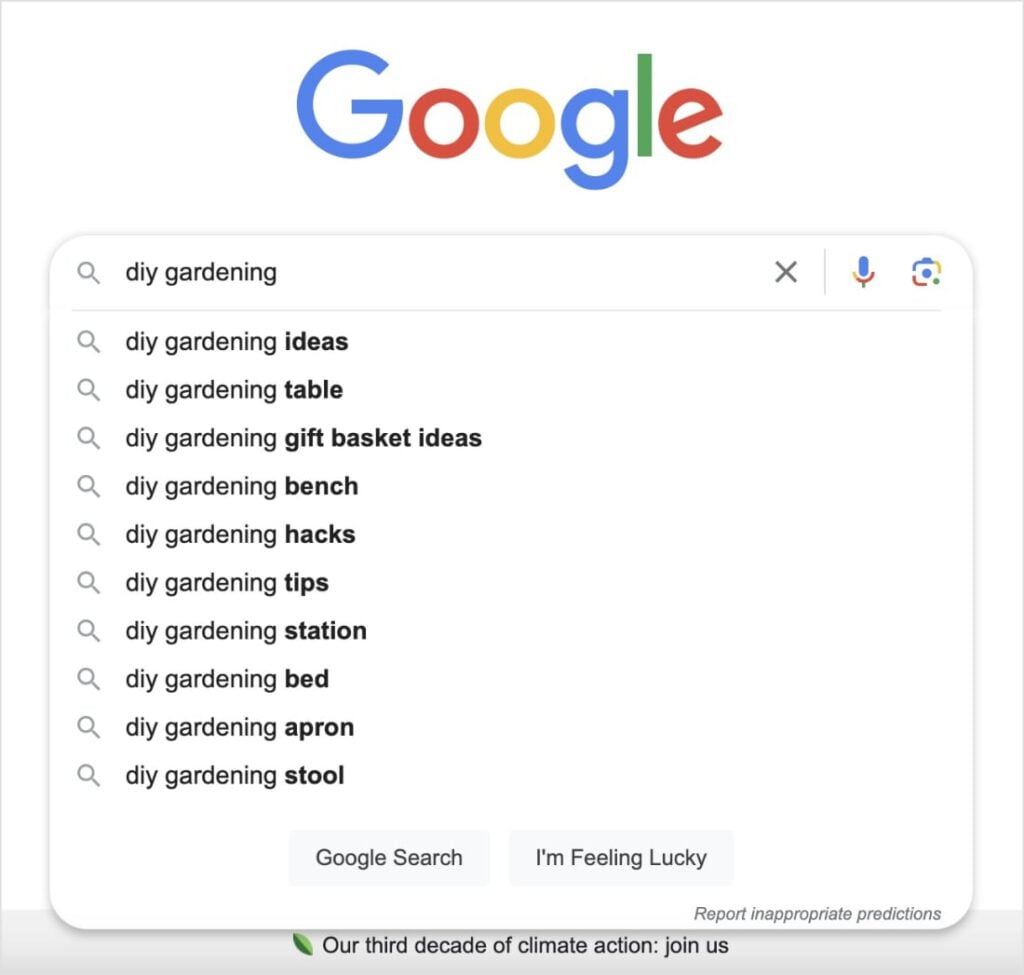
A lot of website owners overlook Google Autocomplete because it sounds too easy. But the reality is, it’s one of the best ways to find out what people are actually looking for.
I use this when I’m brainstorming content ideas or trying to figure out what subheadings to include in a blog post. This ensures a more comprehensive article with subtopics that reflect users’ real interests.
It’s also one of the best long-tail keyword research tools out there because Autocomplete naturally creates longer, more specific phrases. These often have higher conversion rates, making them great for growing your business.
Keyword Research Features:
- Real-Time Suggestions: Provides immediate keyword ideas as you type.
- Long-Tail Phrases: Naturally suggests longer, more specific queries.
- Question-Based Ideas: Often provides questions people are asking about a topic.
- Free and Built-In: No tool to open, no credits to worry about.
How to Use It: Start typing a keyword and take note of the suggestions. Don’t stop there! Try adding a letter after your keyword (e.g., “SaaS SEO a…”), or use an underscore (e.g., “SaaS SEO _”) to unlock more suggestions.
5. AnswerSocrates (The “People Also Ask” Tool)
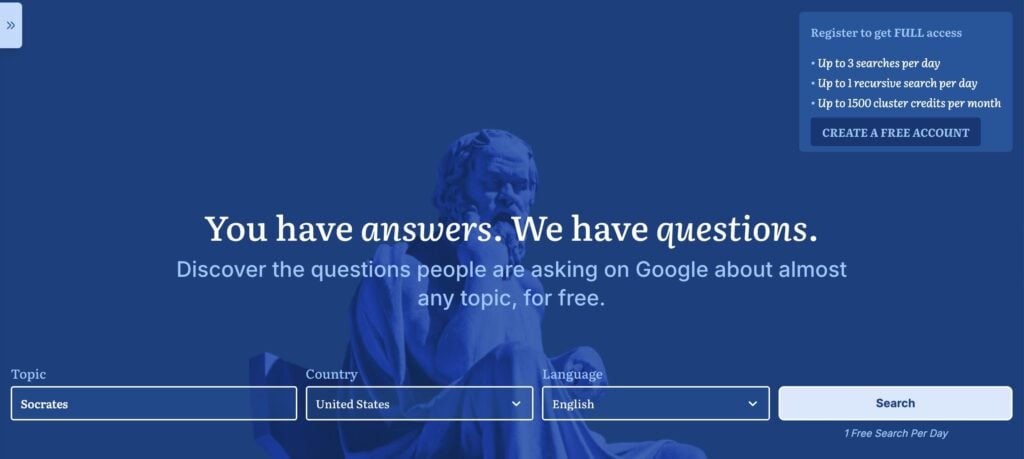
AnswerSocrates is a goldmine for understanding search intent. It pulls questions from Google’s “People Also Ask” feature and organizes them visually. This is perfect for building content briefs and creating dedicated FAQ sections that are optimized for AI Overviews and featured snippets.
I love how it presents the data in a clear, organize style that makes it easy to see how users form their questions in Google.
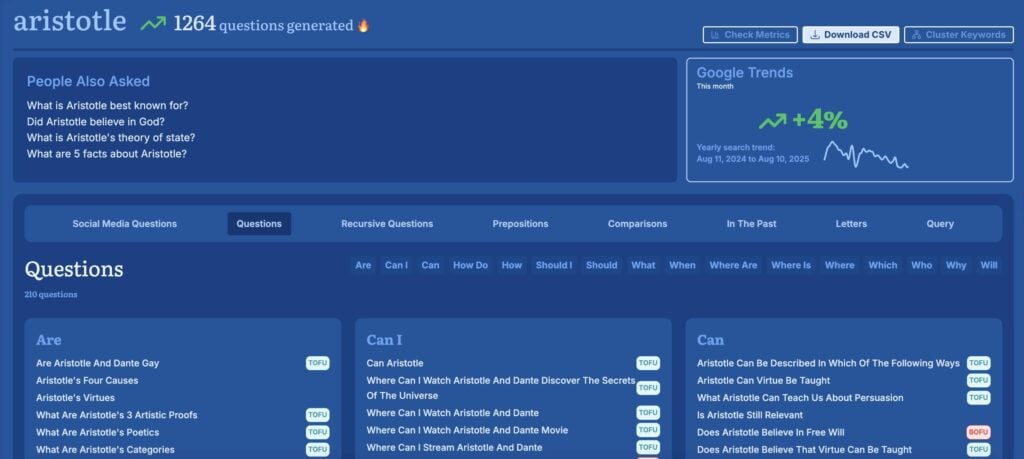
AnswerSocrates also tags each question keyword with the appropriate sales funnel stage. Here’s a quick recap of them:
- TOFU (Top of the Funnel): This represents the beginning of a customer’s journey. It’s commonly referred to as the “Awareness Stage.” At this stage, the customer is aware of an issue they’re having, but they don’t know solutions for it.
- MOFU (Middle of the Funnel): This is the “Consideration Stage” when users are actively searching for and comparing solutions to their problem.
- BOFU (Bottom of the Funnel): This represents the “Conversion Stage” when users are ready to take action.
Understanding and knowing these stages allows you to create content targeted to that specific subgroup of users. This makes your content more effective and can improve your search rankings.
Now, the caveat to AnswerSocrates is that you only get 1 free search per day.
If you create a free account, this gets bumped up to 3 searches per day. It’s still not a lot if you’re trying to do serious keyword research, but it’s good when you’re in a pinch.
How to Use It: Enter a keyword and explore the “questions” and “prepositions” sections. This is where you’ll find the exact questions your audience wants answered.
6. Ahrefs Keyword Generator (The “Quick Win” Tool)
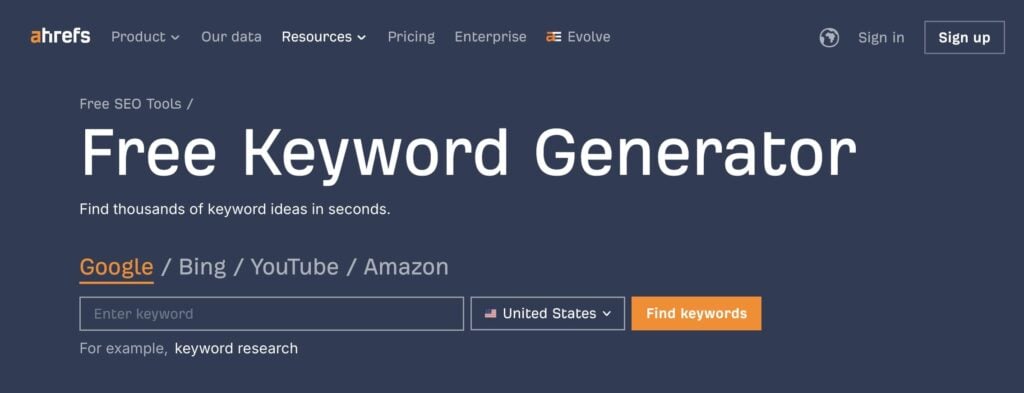
Ahrefs is a popular SEO tool among digital marketers and website owners. It has a comprehensive SEO platform that can help you with everything from keyword research to competitor and backlink analysis.
While the paid platform comes at a cost (starts at $129/month), many people don’t know that Ahrefs also has a free Keyword Generator.
This tool provides 20 keyword ideas per search and gives you the keyword difficulty, which is often limited to paid SEO tools. It’s a great way to get a quick pulse on competition for a specific keyword without a subscription.
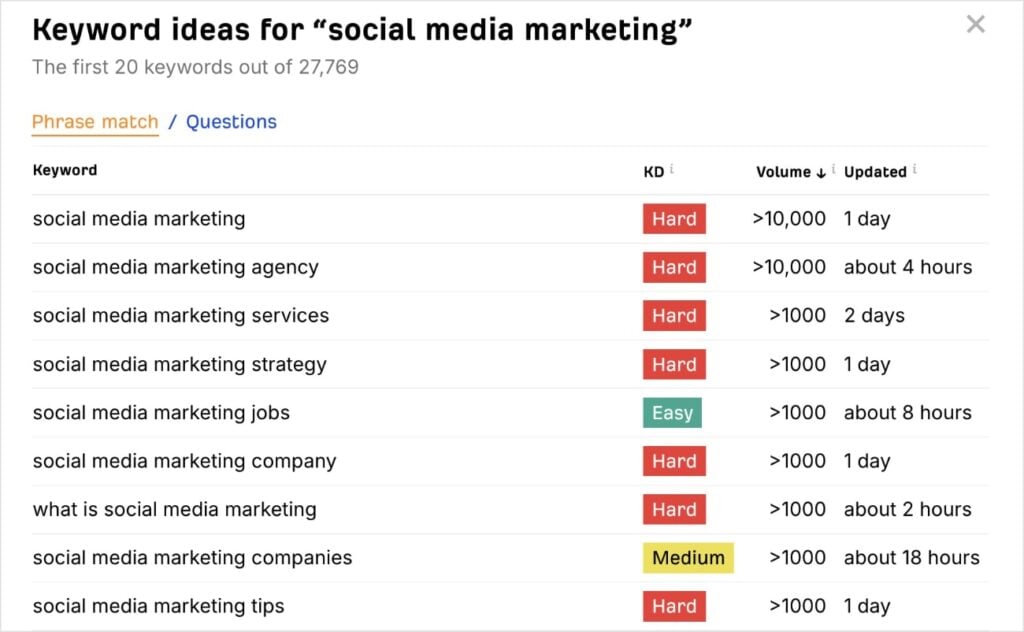
Now, like AnswerSocrates, this keyword generator comes with limitations.
You only get to see the first 20 results, and only the top 10 of these show the keyword difficulty. There’s also a wide range for the search volume. To be honest, “>1000” doesn’t tell you much when it comes to assessing how popular a keyword is.
Because of this, the Ahrefs Keyword Generator is fine for getting keyword ideas, but it wouldn’t be my top choice for digging deep into keyword metrics.
Keyword Research Features:
- Keyword Ideas: Provides a long list of related keywords.
- Keyword Difficulty (KD) score: Gives a rough estimate of how hard it is to rank for a term.
- Search Volume: Shows a broad estimated monthly searches for the top keywords.
- Global Data: Allows you to filter results by country.
How to Use It: Enter your seed keyword, and it will generate a list of ideas. Focus on terms with a low difficulty score to find easy wins.
7. Ubersuggest (The “Beginner’s All-in-One” Tool)
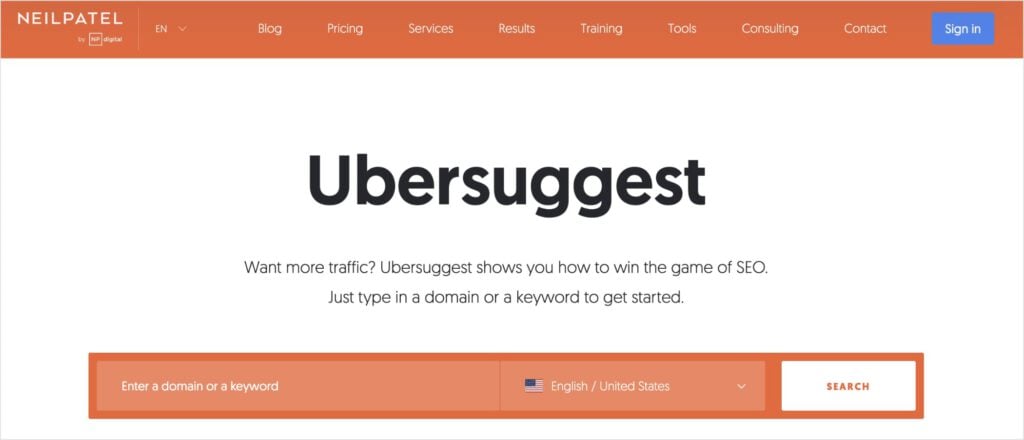
Ubersuggest by Neil Patel is a good starting point for beginners because it has a user-friendly interface. This means you don’t have to struggle with overwhelming keyword data or complicated reports.
When you search a keyword, you’ll get all the keyword basics, including search volume and SEO difficulty. Ubersuggest also provides some paid insight, such as paid difficulty and cost per click (CPC). This can be helpful if you’re running Google Ads in conjunction with organic marketing efforts.
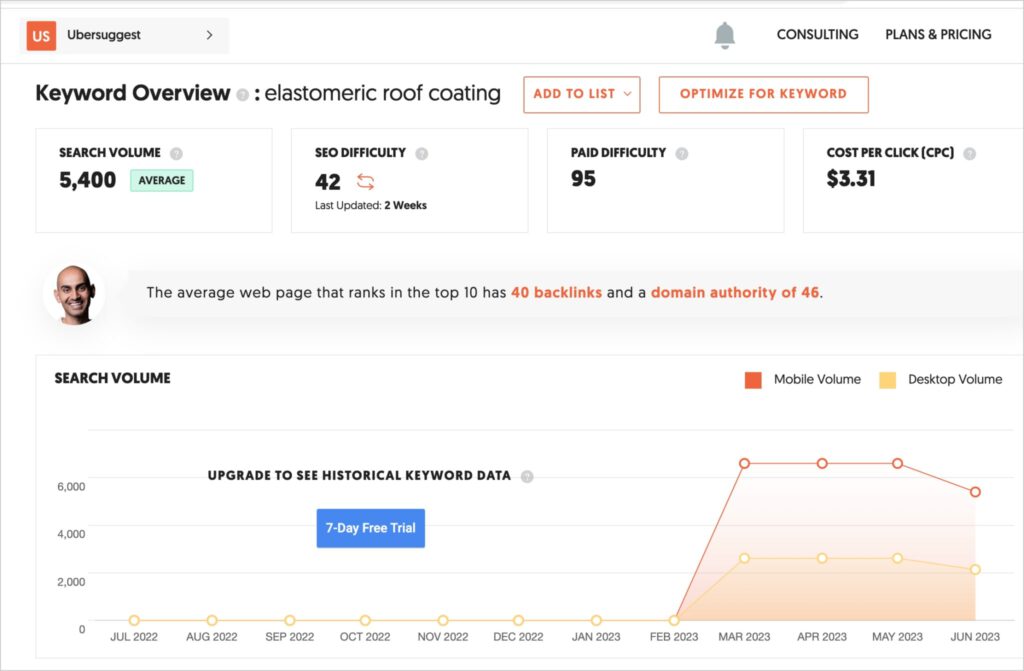
With Ubersuggest, you can search up to 3 keywords or domains per day for free. If you want to do more than that, you’ll need to upgrade to paid plan (starts at $16/month).
You also don’t get access to historical keyword data on the free plan.
With that said, you can sign up for a 7-day free trial if you want to do a keyword research sprint and get as much data as possible without paying.
Keyword Research Features:
- Keyword Ideas: Provides a list of related keywords with organic and paid metrics.
- Content Ideas: Suggests blog post topics that are already performing well.
- Site Audit: Offers a basic overview of your website’s technical health.
- Backlink Data: Provides information on a domain’s backlink profile.
How to Use It: Use the Keyword Ideas tool to find keywords and get a sense of their difficulty and search volume. You can also use the Content Ideas tool for inspiration.
8. AnswerThePublic (The “Question” Tool)
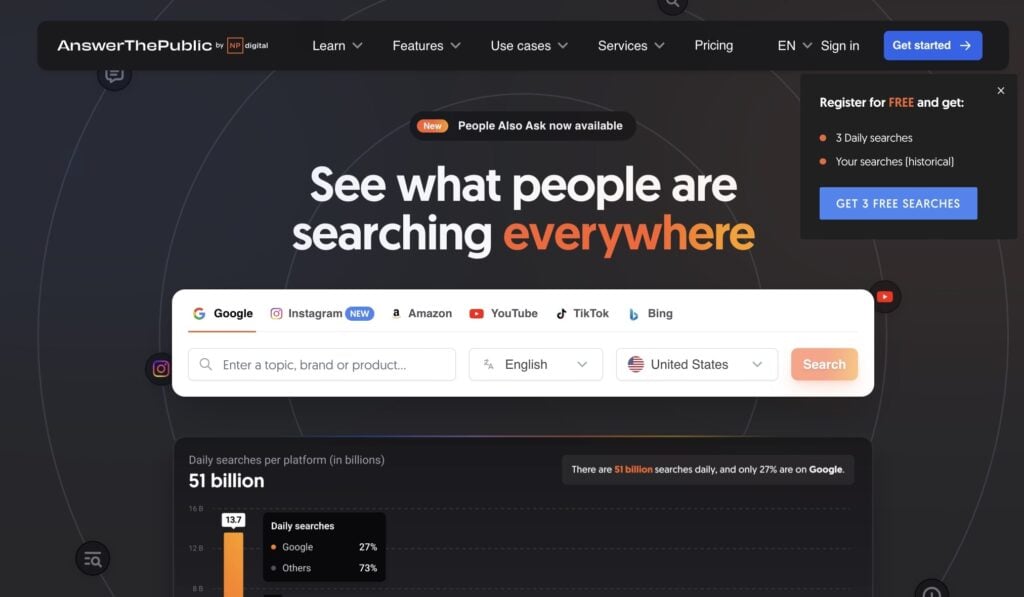
Similar to AnswerSocrates, AnswerThePublic is a visual tool that provides questions, prepositions, and comparisons related to your seed keyword. It’s an effective way to see what your audience is asking.
Personally, I’m a big fan of the visual format. I typically view my data in the circular Wheels view, but you can also switch it to a more standard List view.
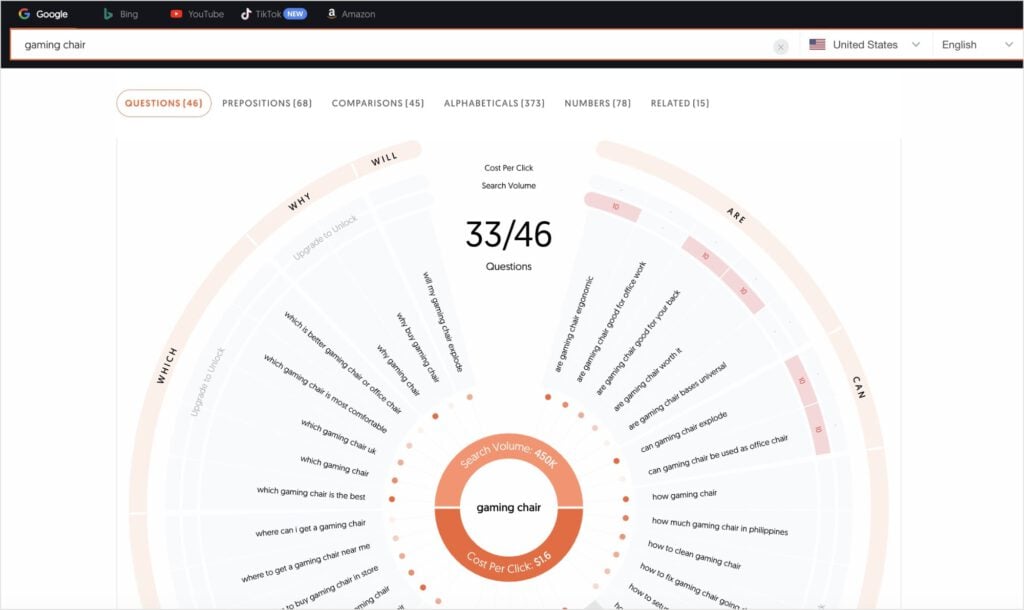
I use AnswerThePublic as a brainstorming tool to get a full picture of all the questions surrounding a topic. I also like to use these questions in FAQ sections.
Just a heads up: You only get 3 free searches per day. You’ve probably noticed by now that this is a common theme from free keyword research tools.
Keyword Research Features:
- Visualizations: Creates a unique graphic of keyword relationships.
- Question-Based Keywords: Organizes searches by questions like “what,” “where,” and “how.”
- Prepositions: Finds related phrases that include prepositions.
- Data Export: Allows you to download the visualizations and data in CSV format.
How to Use It: Enter a keyword and look at the visualizations. This is a quick and easy way to generate a list of questions to answer in your content.
9. Keywords Everywhere (The Browser Extension)
Keywords Everywhere is a browser extension that shows you keyword data (like search volume and CPC) directly in search results. It saves a lot of time by giving you instant insights without having to open a separate tool.
I have it pinned to my Extensions menu, so I can run it any time. I like how quickly you can get a feel for a keyword’s difficulty and potential without disrupting your workflow.
Here’s what it looks like in Google:
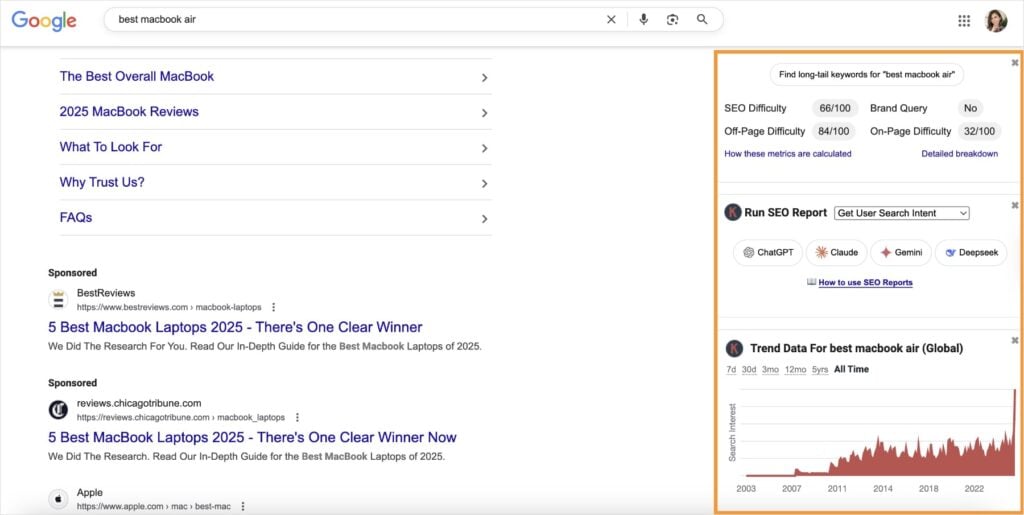
You can get a lot of data from this small-but-mighty tool, including:
- SEO difficulty
- Off-page difficulty
- Global trend data
- Long-tail keywords
- And more
If you want to unlock even more features, you’ll need to upgrade to a paid plan (only $6/month). Keywords Everywhere uses a credit system, so you can pick how you spend your credits.
Keyword Research Features:
- Real-Time Data: Displays competition (difficulty) metrics directly in Google search results.
- Related Keywords: Shows a sidebar with relevant keyword ideas.
- People Also Search For: Gives you insights into other queries people are using.
- Quick Metrics: Provides a fast, unobtrusive way to evaluate keywords.
How to Use It: Install the extension, and when you search for a keyword, it will automatically show you related keywords and their metrics in the right-hand sidebar. It works with Chrome, Firefox, and Edge.
What Free Tools Are Missing (And Why You Still Need a Paid Tool)
Free tools are powerful, but they have limitations. You’ll often find they provide limited data, don’t show enough competition, or have daily search limits.
When you outgrow these limitations, it’s a good sign that it’s time to invest in a paid tool to truly scale your SEO efforts.
Here’s where a tool like LowFruits comes in.
LowFruits: The Keyword Research Tool Worth Every Penny
LowFruits is the #1 keyword research tool I use and recommend to my clients. Here’s why:
While most of the free tools above show you generic keyword difficulty scores, they can often be misleading.
LowFruits is designed to identify easy keywords where the top 10 results are dominated by weak competitors. These are the ultimate “low-hanging fruit” opportunities that free tools often miss. (It’s also a more accurate way to identify keywords you can actually rank for than relying on KD scores alone.)
You can spot these low-competition keywords easily by focusing on the following metrics:
- SERP Difficulty (SD) Score: This is the LowFruits metric for keyword difficulty. 1 is easy, 2 is medium, and 3 is hard.
- Weak Spots: Each icon represents a low-authority domain ranking in the top 10 search results. These are competitors you can easily outrank with high-quality content.
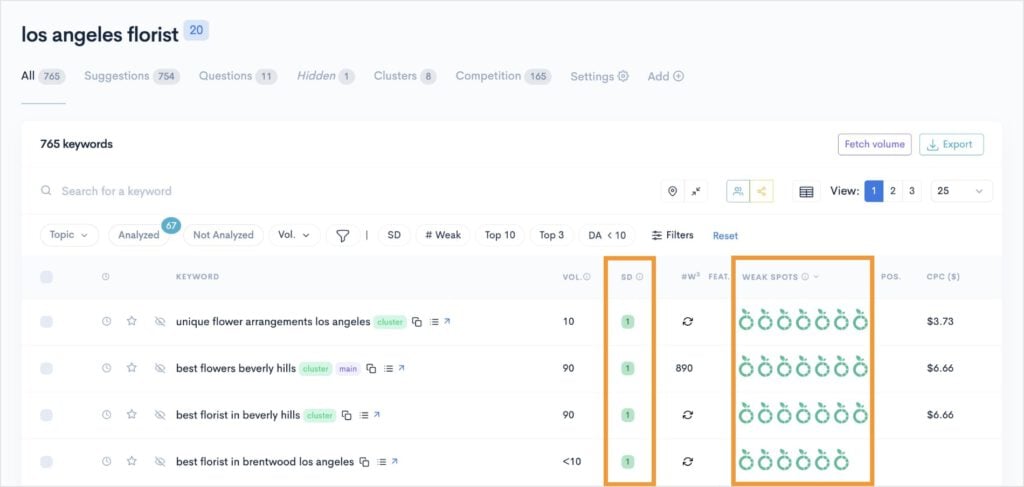
By looking for keywords that have low SD scores and multiple Weak Spots, you can find easy keyword targets for your content.
I also like how it has a built-in Rank Tracker. This tool monitors your Google positions of your most important keywords.
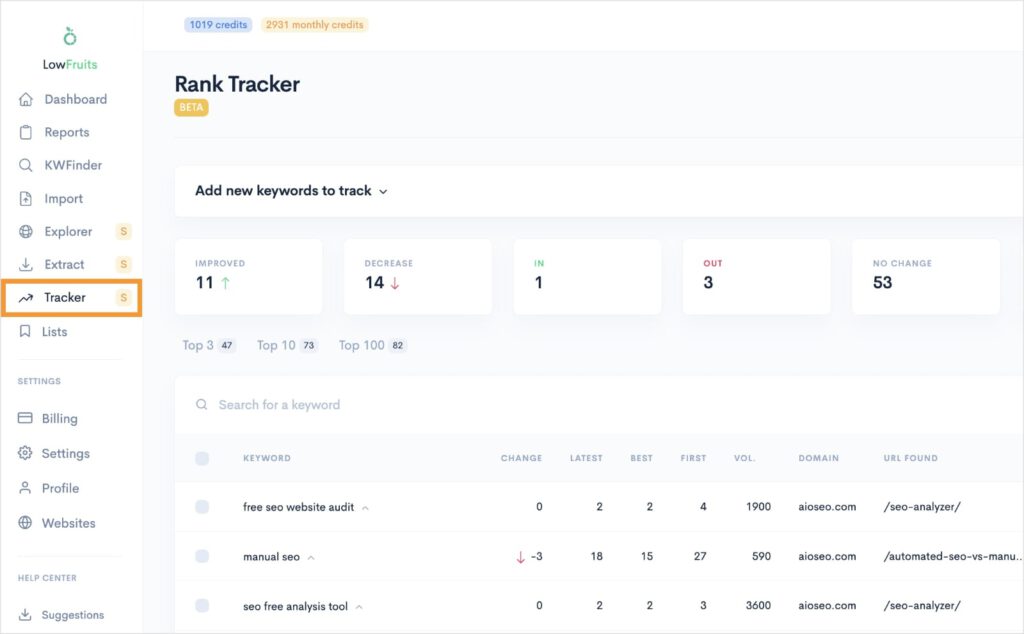
You can also view historical data by expanding any of the keywords in your tracking list. (Not to mention that it also shows the top 10 competitors ranking in search results right now.)
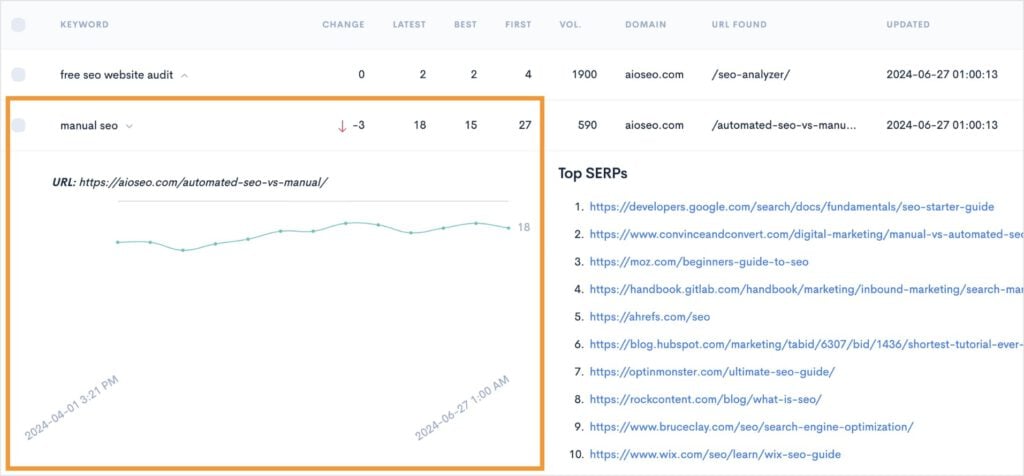
Overall, it’s one of the best SEO keyword research tools on the market that helps you from initial topic ideation to rank tracking your results.
Plus it’s a budget-frendly price point. LowFruits plans start at $21 per month.
Final Thoughts
Free keyword tools are an essential part of any SEO strategy. By combining them and using them smartly, you can build a solid foundation and start ranking for keywords that matter.
But always remember to keep an eye out for when you’ve outgrown them. Your SEO journey is a marathon, and the right tools (free or paid) will help you go the distance.
FAQs About Free Keyword Research Tools
The best free keyword research tool depends on your specific needs. For organic keywords, Google Search Console gives you data on your existing rankings. If you’re looking to expand your rankings, the Ahrefs Keyword Generator is a good starting point for basic keyword data. AnswerSocrates is ideal for tapping into the question your audience is asking, and Google Keyword Planner is the preferred choice for PPC keyword research.
Most free tools provide a keyword difficulty score, but it’s often a very broad estimate. I recommend using Google Autocomplete and AnswerThePublic to find long-tail, question-based keywords. These are often less competitive and can be a goldmine for targeted traffic.
Absolutely. While you may not have the same data quantity as a paid tool, you can still build a powerful strategy by combining the insights from tools like Google Keyword Planner, Google Trends, and Google Search Console. The key is to be strategic and use each tool for its unique strength.
You know it’s time to upgrade when you start to outgrow the limitations of free tools. If you’re consistently hitting daily search limits, you need more in-depth competitor data, or you’re ready to find truly low-competition keywords that free tools miss, that’s your sign to invest in a paid tool.


