
Let’s be honest: ranking on Google isn’t just about keywords and backlinks anymore. To crack the first page, you need to understand what’s already there — who you’re up against, why they’re ranking, and what gaps you can fill.
That’s where SERP analysis tools come in.
But with so many options out there, which tools are actually worth your time (and money)?
Let’s break it down.
In This Article
SERP Analysis Explained (In Plain English)
A SERP analysis is the process of examining the search engine results pages (SERPs) for a given keyword. The goal is to extract insights about:
- Who‘s currently ranking (and why)
- What types of content and formats dominate
- Which SERP features appear (featured snippets, People Also Ask, videos, etc.)
- What Google’s intent signals are for that search term
- How competitive the landscape is for that particular query
In short, SERP analysis is one of the most important steps in any winning SEO strategy. It’s essentially market research for search, and it helps you reverse-engineer exactly what Google “wants” to show for any keyword.
Want to head straight over to the tool recommendations? Jump to our picks of the best SERP analysis tools.
The 5 Core Components of SERP Analysis
Let’s break down the main elements you should look at when performing a SERP analysis:
- Page Types and Content Format: Are the top results blog articles, videos, product pages, or something else? Do listicles rule the top, or are how-to guides dominant?
- SERP Features: Is there a featured snippet? Knowledge panel? People Also Ask? Local Pack? Which features take “above-the-fold” real estate — which can dramatically affect organic clicks.
- Competitor Analysis: Who owns these top spots? High-authority sites, niche blogs, local businesses? What’s their domain strength (think Domain Rating, backlinks, topical authority)?
- Search Intent: Is Google’s intent informational, commercial, navigational, or transactional? And does it shift depending on small changes to the query?
- On-Page Element Analysis: What’s the average word count, use of media, topic depth? Are key terms sprinkled in headings, meta tags, or body content?
Ultimately, a SERP analysis helps you create content with purpose. It aligns your efforts with user intent, increases engagement, and earns higher rankings than non-researched content.
Why SERP Analysis Is Non-Negotiable in Today’s Search Landscape
Many beginners make the mistake of jumping straight into writing content as soon as they find a keyword with “good” search volume.
But today, Google’s search results are more diversified (and volatile) than ever. You could have the best-written article in the world, but if Google has decided that users want a YouTube video or an eCommerce product page for that search, your blog post will struggle to break through.
Real-World Example
Let’s say you want to rank for “best coffee makers.” Plugging this into Google today, you’ll likely see:
- A “shopping” carousel
- User-generated content (Reddit)
- Videos reviewing top coffee makers
- A mix of product roundup articles and ecommerce category pages
If you tried ranking with a thin, affiliate-only blog post, you’d be up against a wall. And likely buried in search results.
That’s why it’s critical to analyze the SERPs before you start creating content.
When you build pages that mirror what Google actually wants—not just what you guess—they’re more likely to rank, get clicks, and keep readers engaged. Ignore SERP analysis, and you risk creating “invisible” content, even if it’s well-written.
What Is a SERP Analysis Tool?
If you’ve ever tried to manually go through the top Google results for a keyword, you’ll know that it’s doable but time-intensive and not scalable. That’s where SERP analysis tools come in handy.
SERP analysis tools are software designed to collect, organize, and interpret data from Google search results.
They automate what would otherwise be a manual, time-consuming process into a streamlined format. This ultimately allows you to make smart SEO decisions based on real data in less time.
What Do SERP Analysis Tools Actually Do?
At a high level, the best SERP analysis tools will:
- Fetch live SERPs for your chosen keywords.
- Pull detailed data on each result, including page titles, URLs, and meta descriptions.
- Analyze ranking pages’ authority (by measuring backlinks, domain/page ratings, etc.).
- Identify which SERP features appear for the query.
- Assess on-page content elements, like word count.
- Flag opportunities by surfacing low-authority competitors in the top 10.
Why Not Just Use Google?
You could, but you’d be missing hidden context:
- You won’t see the authority of each result at a glance.
- You’ll miss larger content or intent trends.
- And you’ll spend a lot more time analyzing keywords one-by-one.
SERP analysis tools don’t just make the process easier. They help you surface patterns (and threats) invisible to the human eye — so you can act faster, with confidence.
Why SERP Analysis Tools Are Game-Changers for SEO
A SERP analysis tool takes you far beyond what you can uncover solo, delivering speed, efficiency, depth (and often, accuracy) that simply isn’t possible by hand. Here are some of their greatest advantages:
- Save Hours of Time: Manually checking SERPs for dozens (or hundreds) of keywords? Brutal. A good tool can analyze dozens of SERPs, highlight who’s ranking and why, and identify quick wins in just a few clicks.
- Surface Deep Insights Instantly: Tools let you peek under the hood of your competitor. See each ranking page’s authority, word count, and SERP features..
- Find “Weak Spots” Competitors Miss: The best SERP analysis tools highlight low-authority pages in the top 10. These are ideal keyword for launching new content that can outrank existing pages.
Best SERP Analysis Tools for Checking Out the Competition
These paid options help you analyze the SERPs in seconds.
Looking for free options? Jump to our picks of the best free SERP analysis tools.
1. LowFruits
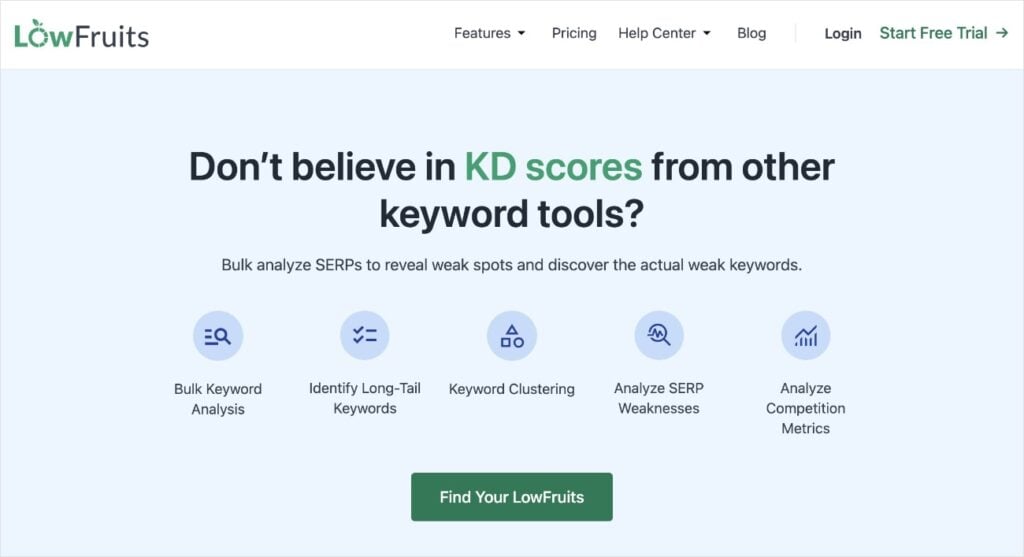
LowFruits is a keyword research and SERP analysis tool designed to help you find keyword opportunities you can actually win. It was designed with small business owners and DIY SEOs in mind, meaning it has a user-friendly features that don’t require a big SEO background.
For SERP analysis, it has a Bulk SERP Checker integrated into its keyword research tool. This makes analyzing search results a breeze.
After entering a seed keyword into the KWFinder, you’ll get a keyword report. To analyze the SERPs for multiple keywords, all you have to do is hover your mouse of the bulk selection box in the upper-left corner. Then, you can select the current page or all pages.
Each analysis costs 1 credit.
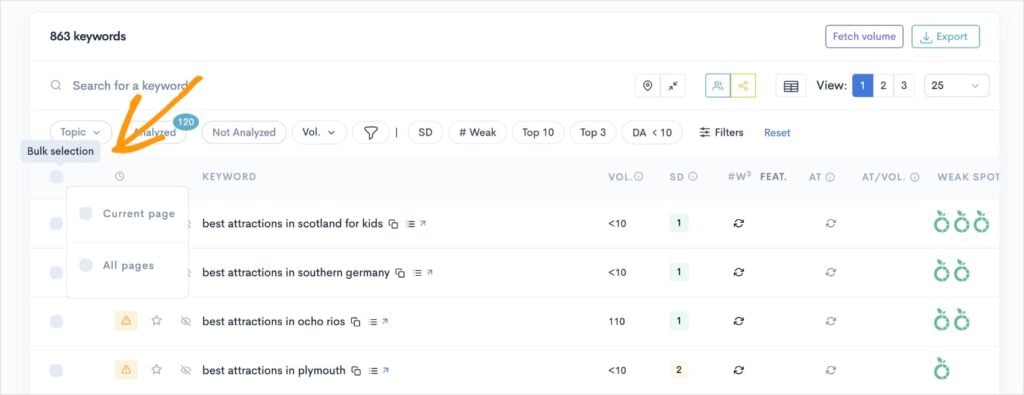
Note: You can also manually select which keywords to analyze one-by-one by checking the box in the far-left column. This is a good option if you’re low on credits or interested in just a few keywords.
Once you’ve analyzed some keywords, your report will populate the right columns with data. You’ll see the following metrics:
- Keyword search volume
- SERP Difficulty Score (SD) – keyword difficulty
- Word count
- SERP features
- Weak Spots
- Position (if your site is ranking)
- Cost-per-click (CPC)
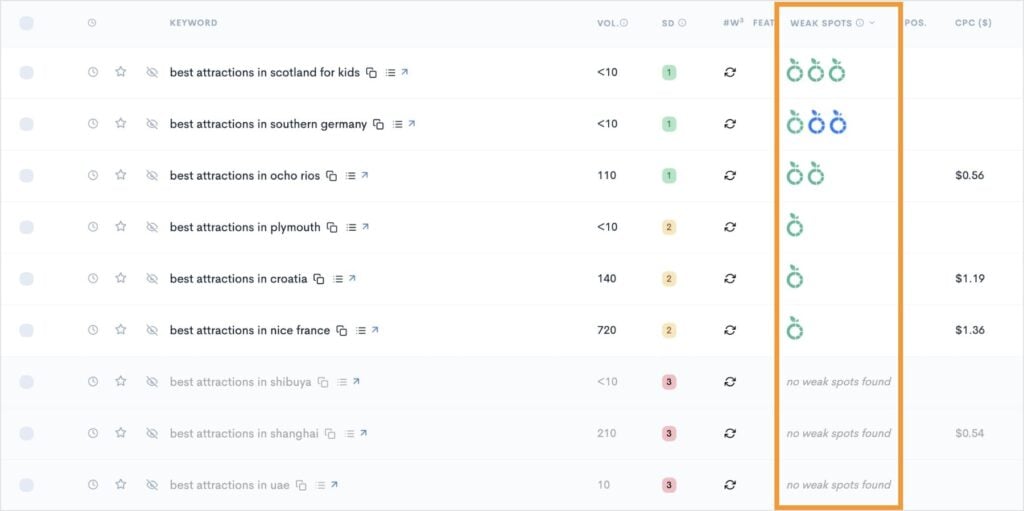
I want us to focus on Weak Spots for a moment. This is what makes LowFruits stand out from other SERP checkers.
Every Weak Spot icon represents a low-authority domain ranking in the top 10 search results. These are weak competitors that you can outrank, even as a new or small website.
When you find keywords that have multiple weak spots and decent search volume, you’ve got an easy ranking opportunity and quick SEO win.
Now, let’s see how easy it is to analyze the SERPs for any keyword in your report.
Click on the View the SERP icon to the right of your desired keyword.
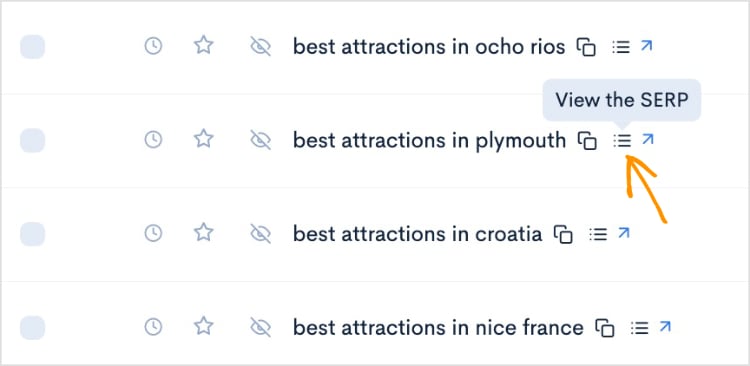
This will open a pop-out window that looks like this:
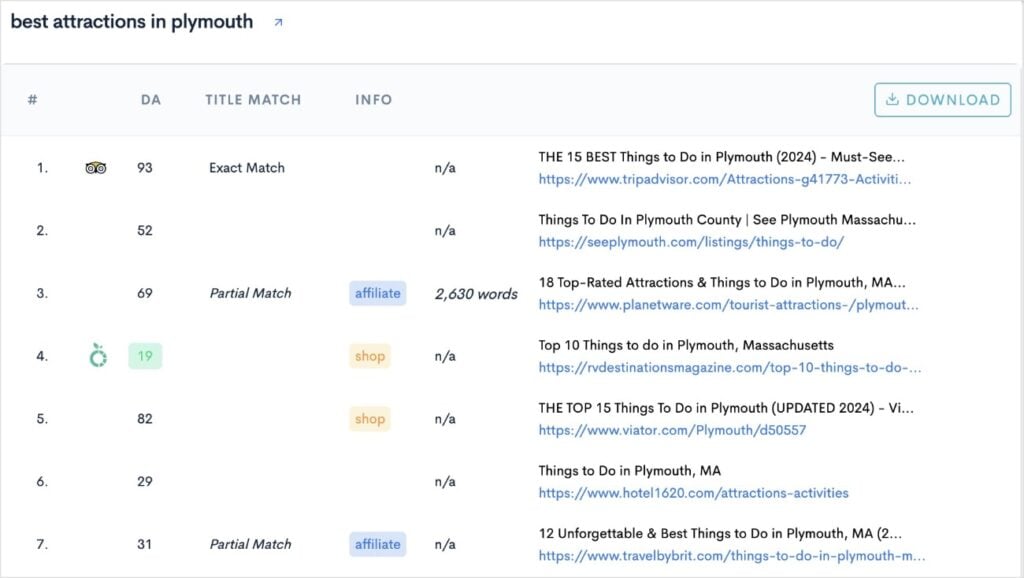
You can see the top 10 search results, along with:
- Domain authority of each page
- Industry insights (like affiliate or eCommerce shop)
- Word count
- SEO title
- URL structure
I like paying extra attention to the titles because this provides major clues about the type of content Google (and users) want. In our example, I can see that all the top results are listicles. This means I’d probably be best off writing an article with a similar format.
Overall, the bulk SERP checker feature of LowFruits is super simple to use. It gives you valuable insights into the competition and how to formulate your content creation.
LowFruits Pricing: Subscriptions start at $21/month. You can also access the bulk SERP checker using pay-as-you-go (PAYG) credits, which start at $25 for 2,000 credits.
2. Ahrefs

Ahrefs is a popular all-in-one SEO toolset known for its powerful SERP analysis capabilities.
When you enter a keyword, Ahrefs gives you a detailed overview of the entire first page of Google. You can see who’s ranking, how strong their websites are, and what kind of backlinks support each result.
One of my favorite features is the SERP Overview. This table breaks down the top-ranking pages with useful metrics like Domain Rating (DR), URL Rating (UR), the number of referring domains, estimated organic traffic, and even the presence of rich SERP features like featured snippets or video carousels.
It’s easy to compare the competition at a glance. For instance, if you notice a lower-authority site in the top 10 or a page with very few backlinks, that’s a possible opportunity.
You can also dive into historical SERP data to see if rankings have been stable or volatile — a sign of either a settled or frequently-changing search intent.
Ultimately, Ahrefs is particularly helpful for users who want deep competitor research and more advanced analysis, like tracking shifts in search intent over time.
It’s widely used by agencies, in-house marketers, and anyone working in competitive niches.
Ahrefs Pricing: Starts at $129/month.
3. Semrush
Semrush is one of the most popular SEO platforms available. It has robust SERP analysis tools and keyword research features.
When you use the Keyword Overview tool, you get an instant snapshot of the current top results and keyword data. The SERP Analysis section shows who’s ranking, their page authority, backlinks, referring domains, and more.
You can even explore additional pages in SERPs, going all the way up to position 100.
This is good if you’re diving deep into a keyword, but it’s not really necessary for everyday use. Personally, I’ve been doing SEO for over 6 years, and I’ve never needed to explore all those additional results.
That’s kind of a recurring theme with Semrush, though. It has so many features that it can be slightly overwhelming for beginners.
And these features come at a cost. Semrush is considered a premium product, so you’re paying a premium price.
Semrush Pricing: Starts at $139.95/month.
4. Surfer
Surfer is best known for its data-driven approach to content optimization, and its SERP Analyzer tool is at the heart of the process.
With the SERP Analyzer, you can dive deep into the current top-ranking pages for any keyword to see exactly what’s contributing to their success.
When you input a keyword, the SERP Analyzer scans the top 50 search results and gives you a detailed breakdown of factors like:
- Content length
- Keyword density
- Backlink counts
- Use of headings
- And more
It also displays which SERP features appear for your keyword.
One of the things I found myself using the most often is SERP Analyzer’s comparison tool. You can compare your own page to competitors. This helps you identify gaps, analyze on-page SEO, and get a quick overview of how your content stacks up against high performers. It also makes optimizing for specific keywords much less of a guessing game.
Surfer Pricing: Starts at $79/month.
5. SEOBoost
SEOBoost is a newer content optimization platform that streamlines everything from initial topic research to final on-page SEO checks.
What’s unique about SEOBoost for SERP checks is that instead of focusing only on the top results, it does a deep dive into the top-ranking content itself. This translates to thorough page crawls that reveal the exact content strategies of your competitors.
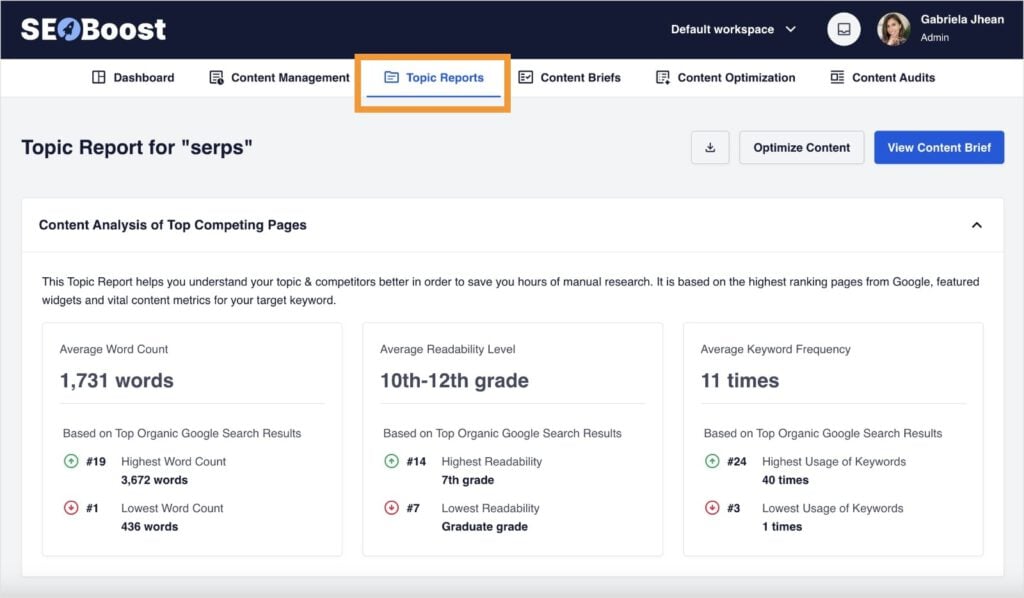
For example, when you use the Topic Report tool, you get a complete breakdown of the top competing pages. You’ll see:
- The average word count
- Readability level
- Keyword frequency
These insights inform your own content creation, allowing you to quickly grasp how you should approach a specific piece.
Overall, I really like the usability of SEOBoost. It’s intuitive, clear, and integrates easily with other SEO tools for small businesses.
SEOBoost Pricing: Starts at $30/month.
6. All in One SEO [WordPress]
Speaking of integrating with other tools, SEOBoost integrates with one of the most popular SEO plugins, All in One SEO. This brings keyword and SERP analysis straight into your WordPress Editor.
With AIOSEO and SEOBoost connected, you get access to the AI Writing Assistant. This feature provides keyword ideas, competitor insights, and SEO recommendations without ever leaving your post or page. This makes it easy to optimize content as you write.
Here’s the same data we saw in the SEOBoost platform, but now, in the AIOSEO Writing Assistant dashboard:
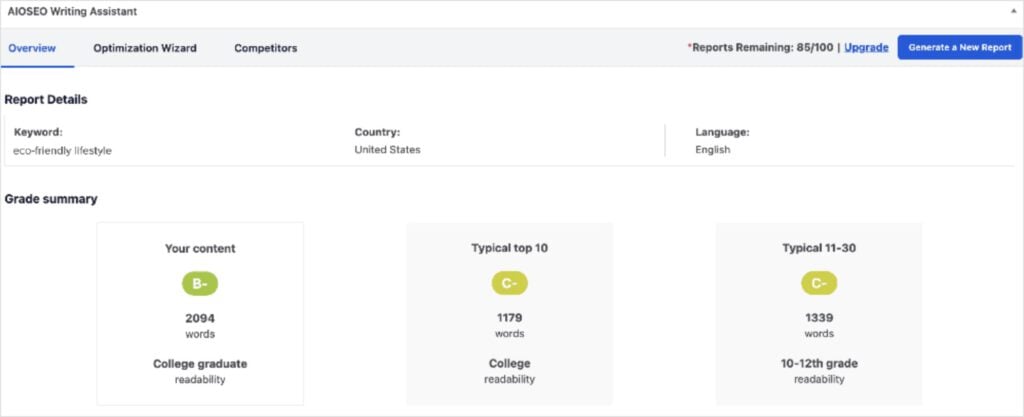
You still get all the main keyword insights, like word count and readability level.
Ultimately, AIOSEO is a great tool for analyzing the SERPs automatically and extracting competitor insights that guide your content creation. It’s good for beginners and advanced SEO writers, making it one of the most versatile tools in our lineup.
AIOSEO Pricing: Starts at $49.60/year (+ the cost of a SEOBoost account).
7. Moz Pro
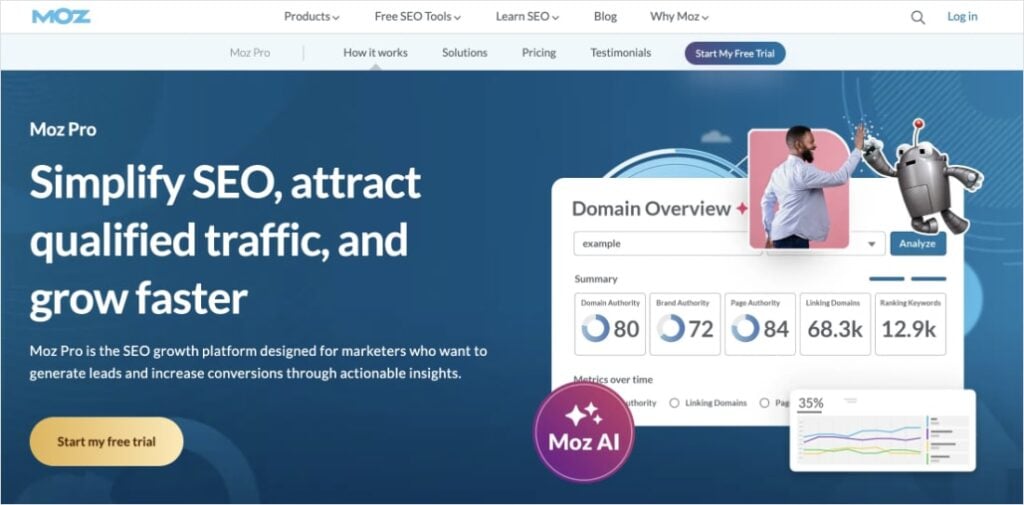
Moz Pro is a well-established SEO suite that includes a robust SERP analysis feature within its Keyword Explorer tool.
When you enter a keyword, Moz Pro provides a comprehensive snapshot of the first page, including key metrics like Domain Authority, Page Authority, and the number of linking domains for each result.
One of Moz Pro’s strengths is how clearly it displays which SERP features are present, such as featured snippets, local packs, image results, and more. This helps you quickly assess the landscape and spot potential opportunities or obstacles for organic visibility.
Moz Pro also evaluates keyword difficulty and potential organic clickthrough rate, making it easier to decide whether a keyword is worth targeting. You can see which competitors are ranking and get insights into why they might hold those positions, which is helpful for shaping your content strategy.
Overall, Moz Pro competes with some of the more premium SEO tools, like Semrush, but at a more budget-friendly price point.
Moz Pro Pricing: Starts at $49/month.
Best Free SERP Analysis Tools
If you’re running you’re own business, marketing spend can be tight. Or non-existant.
I get it.
The good news is that you can find free SERP analysis tools that help you uncover competitor insights without having to resort to manual Google searches.
Let’s look at a few favorites.
8. Mangools SERPChecker
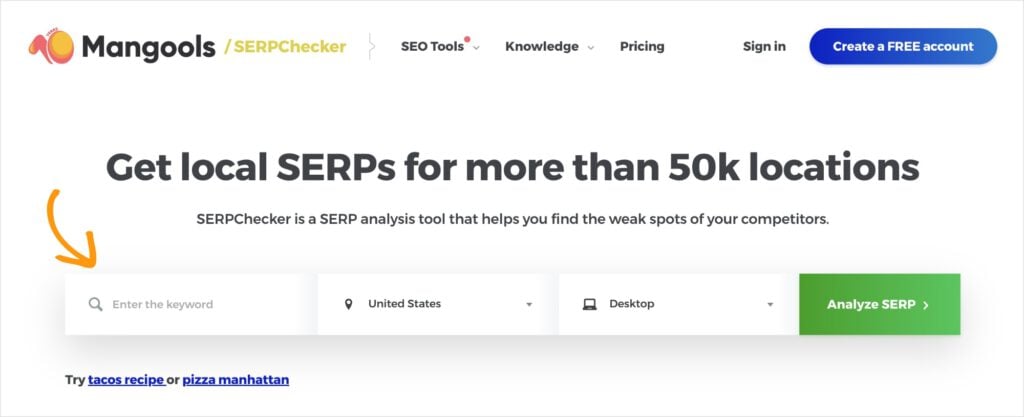
I’m a big fan of the free Mangools tools. They have clean interfaces, give you the data you’re looking for, and are simple to use.
They also have one the best SERP checkers available — and it doesn’t cost a dime.
SERPChecker lets you analyze Google’s top results for any keyword. Just enter your keyword and location, and you’ll get a detailed breakdown of the current SERP — including organic listings, authority metrics, and which special features (like snippets or ads) are showing up.
It also has some unique metrics, like the quantity of Facebook shares and website popularity. This allows you to see competitors in a light that you may have not noticed before.
You also get all a link profile score (LPS), along with the standard DA and PA scores, to help you check the competitiveness for your main topics or get a snapshot of how tough (or easy) it might be to break in.
It’s a particularly handy option for small businesses looking for a visual, straightforward way to size up the competition.
9. Ahrefs SERP Checker [Free Version]
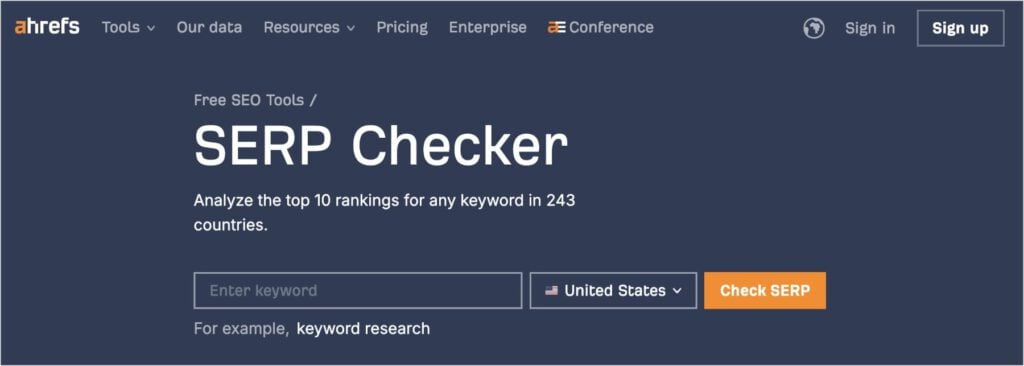
Ahrefs SERP Checker gives you a taste of Ahrefs’ powerful data without the paid subscription.
This free tool lets you check the top 10 search results for any keyword, but you can only view the metrics for the first 3. This is an important distinction to make between free and paid users, who can access more data.
However, if you’re honing in on the top positions, this free version should do the job.
You’ll get all the keyword metrics you would expect to see from a SERP analysis, including:
- Domain Rating (DR)
- URL Rating (UR)
- Backlinks
- Domains
- Traffic
- Keywords
Overall, it’s a good option when you’re in a pinch or just need to investigate the top 3 positions.
10. Google Search Console
Google Search Console (GSC) isn’t a classic SERP analysis tool, but it’s one of the best free ways to see how your own website performs in Google’s search results. After setting it up, you can view which queries are driving traffic to your site, which pages are ranking for specific keywords, and how your average position changes over time.
It’s especially valuable for uncovering unexpected keyword opportunities. For example, maybe your blog ranks somewhere at the top of page 2 for a phrase you hadn’t targeted — now you know to double down to get on page 1.
You can also see impressions, clicks, and clickthrough rates, giving you plenty of actionable insights for refining your SEO strategy for free.
Related reading:
Final Thoughts
And there you have it! The best SERP analysis tool for improving your SEO and spying on the competition.
SERP analysis is no longer an optional step. It’s a must if you want to compete in today’s search landscape, whether you’re running a personal blog or building a business.
Luckily, the right SERP analysis tool can save you hours of guesswork and help you create content that competes and resonates.
If you have a favorite SERP analysis tool or workflow, feel free to share it below! And if you need help getting started, here’s a beginner-friendly tutorial on how to do a SERP analysis. (It only takes 5 steps!)
Happy analyzing!


