
Still uploading images with names like “IMG_2947.jpg” to your website? I hate to break it to you, but default image filenames do nothing for your SEO.
The reality is, most website owners focus their SEO efforts on keywords and content. Meanwhile, image filenames remain an untapped opportunity for better search visibility.
And with over 1 billion searches on Google Images every day, you could be missing out on some serious organic traffic.
The good news? Naming images for SEO is a simple fix that can make a real difference in how search engines understand — and rank — your images.
In this guide, you’ll discover:
- Why image filename SEO matters
- 6 best practices for naming images for SEO
- Real examples of what works (and what doesn’t)
- Quick wins to boost your visual search presence
The best part? You can start applying these practices today.
In This Article
Image Filename SEO? Yep, It’s a Thing
Search engines can’t “see” images the way humans do. While they’re getting better at understanding image content, they still rely heavily on text-based information – including image filenames – to understand what an image shows.
That’s where image filename SEO comes in.
Think of an image filename as a label. When you use clear, descriptive filenames, you’re making it easier for search engines to understand the image’s content. This helps them:
- Index your images accurately
- Show them in relevant search results
- Understand your overall page content better
It’s like helping a friend find a specific photo in your camera roll. “Red-ceramic-coffee-mug.jpg” tells them exactly what to look for, while “IMG_2947.jpg” tells them nothing at all.
Where Do Images Appear in Search Results?
Here’s why image SEO matters: images can appear in multiple places across Google’s search results. And each ranking is a new opportunity to attract organic traffic and increase your visibility.
Rich Snippets in Traditional Search
When Google displays enhanced search results, they often include relevant images as thumbnails. These visual elements can increase organic clickthrough rates (CTR) and drive more traffic to your site.

Think about it: If you had to pick between a search listing with a picture, and one without, which would you choose? Probably the one with an image, especially if it confirms that web page has the content you’re looking for.
Google Image Pack
These images appear within regular search results, typically near the top of the page. Image Packs show up when visual content is particularly helpful — like recipes, products, or graphs.
Getting your images to appear here can increase your website’s visibility and boost brand awareness.
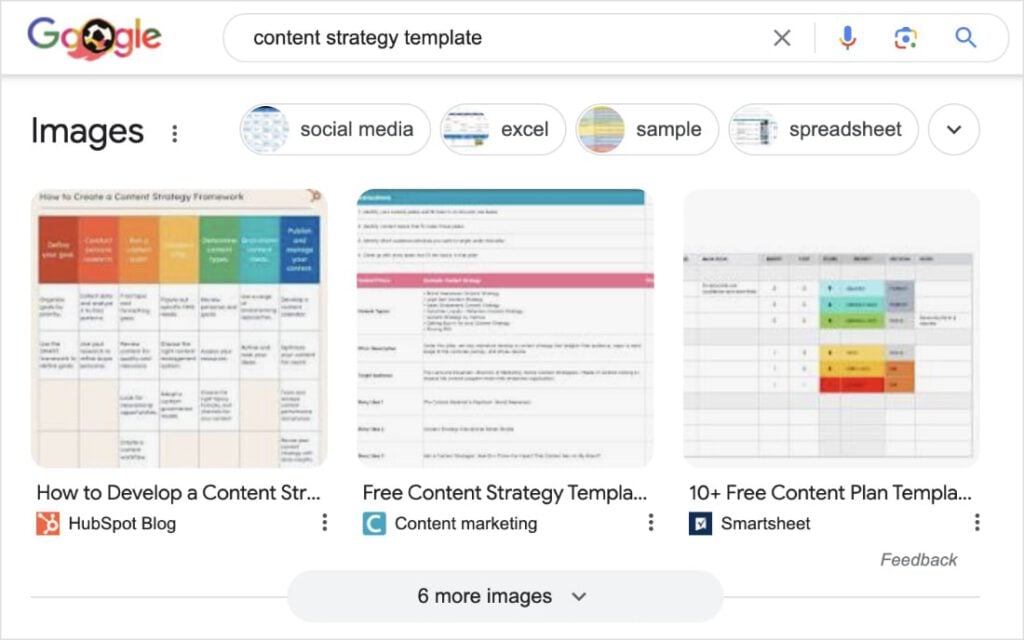
Did you know? Ranking in the Image Pack means you’re also ranking in Google Images! Talk about a win-win.
Google Images
With over a billion daily searches, Google Images is a search engine in its own right. When people search specifically for images, properly named files have a better chance of appearing in these results.
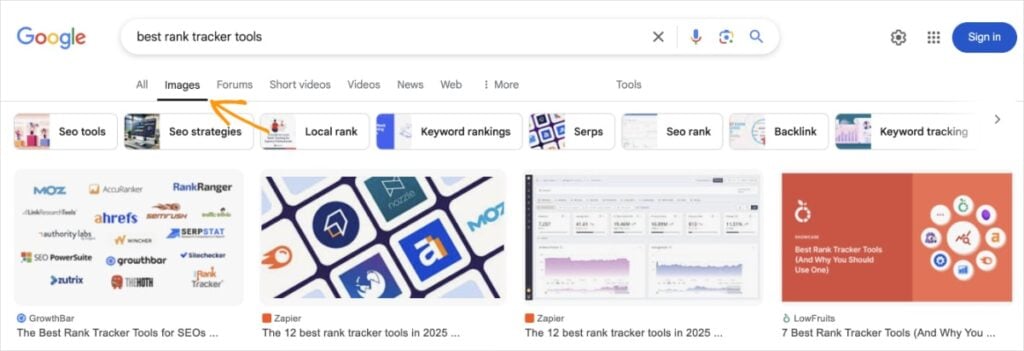
With proper image filename SEO, you can increase your chances of appearing in these valuable search positions. Whether it’s through rich snippets, Image Packs, or Google Images, each image is an opportunity for users to discover your website.
6 Best Practices for Naming Images for SEO
Ready to make your image filenames work harder for your SEO?
Follow these 6 steps:
1. Keep Your Image Filename Relevant
The first rule of image filename SEO is simple: name your image based on what it actually shows. This might seem obvious, but you’d be surprised how often it’s overlooked.
Your filename should accurately describe the image’s content — nothing more, nothing less.
For instance, if you’re uploading a photo of a golden retriever puppy playing with a red ball, name it something like “golden-retriever-puppy-red-ball.jpg” instead of the default “DSC1234.jpg” or the overly generic “dog.jpg”.
Think about it from a search perspective: if someone was looking for this specific type of image, what would they type into Google? That’s often your best starting point for a relevant filename.
2. Be Descriptive Yet Concise
When it comes to image filenames, think Goldilocks — not too long, not too short, but just right. While you want to be descriptive, you also need to keep your filenames concise and to the point.
Aim for 2–5 words that capture the essential elements of your image. For example:
- Too vague: “chair.jpg”
- Too long: “vintage-brown-leather-office-chair-with-wheels-and-armrests-side-view.jpg”
- Just right: “vintage-leather-office-chair.jpg”
Remember: you’re writing for both search engines and humans. If your filename looks like a keyword-stuffed mess, you’ve gone too far.
3. Include Your Focus (or Related) Keyword
Smart keyword placement in your image filenames can give your SEO an extra boost. But here’s the key — it needs to feel natural, not forced.
A keyword research tool can help you identify relevant terms that make sense for your images. Look for keywords that:
- Match what’s actually in the image
- Align with your content’s topic
- Feel natural in the filename
LowFruits makes this process simple by helping you discover low-competition keywords that are ideal for image optimizations. Just enter your main topic into the KWFinder, and click Search.
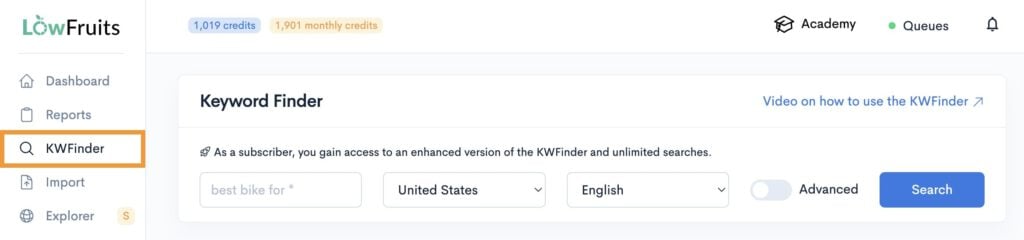
LowFruits will generate a user-friendly report with related keywords, like the one below.
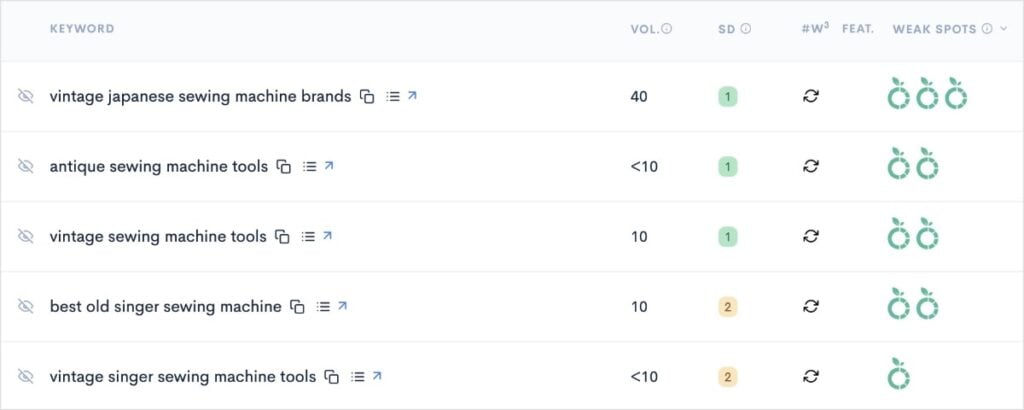
What’s great about LowFruits is that you can find low-competition keywords quickly.
When analyzing your keyword list, pay attention to the following columns:
- Keyword Search Volume (Vol.): This metric represents how many searches there are for a keyword per month.
- SERP Difficulty Score (SD): The LowFruits metric for keyword difficulty. It’s on a scale of 1 to 3, with 1 being the easiest to rank for.
- Weak Spots: Each icon represents a low-authority domain ranking in the top 10 search results. These are competitors you can easily outrank.
For quick SEO wins, I recommend targeting keywords that have:
- Decent search volume
- A low SD score (preferably 1)
- Multiple Weak Spots
These are low-hanging fruits, ripe for the taking! And even small or new websites can compete for them with success.
You can use these keywords in your image filenames to improve your SEO and rank higher in SERPs.
4. Don’t Keyword Stuff
Now that you know how to find the right keywords with LowFruits, let’s talk about what not to do.
Keyword stuffing is the fastest way to turn a good image filename bad.
Think of it this way: if your filename sounds unnatural when read aloud, you’re probably keyword stuffing. Here are some examples:
- Good: “mediterranean-pasta-salad-recipe.jpg”
- Bad: “best-mediterranean-pasta-salad-recipe-popular-mediterranean-pasta-salad.jpg”
- Good: “white-leather-office-chair.jpg”
- Bad: “office-chair-desk-chair-computer-chair-white-leather-chair.jpg”
Google is smart enough to understand context. You don’t need to cram every possible keyword variation into your filename. It creates a poor user experience (UX) and doesn’t improve your chances of ranking.
So, just don’t do it!
5. Separate Words With Hyphens
Here’s a small detail that makes a big difference: use hyphens (-) to separate words in your image filenames.
Why hyphens? Because:
- Search engines recognize hyphens as space separators.
- They’re easier to read than underscores or spaces.
- They’re the industry standard for SEO-friendly URLs.
Compare these examples:
✅ red-leather-boots.jpg
❌ red_leather_boots.jpg (underscores)
❌ redleatherboots.jpg (no spaces)
❌ red leather boots.jpg (spaces)
Skip spaces, underscores, and special characters. They can cause technical issues and make your filenames harder to read — for both humans and search engines.
6. Think of the User
At the end of the day, SEO isn’t just about pleasing search engines — it’s about helping real people find what they’re looking for.
When naming images for SEO, ask yourself:
- Would this filename make sense to someone searching for this image?
- Does it accurately describe what they’ll see?
- Could someone understand what the image is before clicking?
This user-first approach naturally leads to better SEO because it aligns with what search engines want: to provide the most relevant results to their users.
A word of advice? You should apply this people-first approach to all your SEO efforts, not just image optimizations. As digital marketers like to say, “people first, search engines second.” It’s the most effective way to create high-quality content that users love and search engines want to serve.
Examples of Good & Bad Image Filenames for SEO
Let’s put everything we’ve learned into practice with some real-world examples. Here’s what good (and not-so-good) image filenames look like:

✅ lemon-lime-meringue-pie.jpg
❌ DSCE92749.jpg (not relevant)
❌ pie.jpg (not descriptive)
❌ product photo final version (spaces, not descriptive)

✅ vintage-singer-sewing-machine.jpg
❌ vintage-machine.jpg (not descriptive enough)
❌ vintage_sewing_machine.jpg (underscores)
❌ antique-sewing-machine-vintage-sewing-machine-vintage-singer.jpg (keyword stuffing)
Additional Image SEO Tips
While proper filename optimization is crucial, it’s just one piece of the image SEO puzzle. Here are some complementary practices to boost your visual search performance:
Optimize Your Alt Text
Alt text works hand-in-hand with your filename to tell search engines what your image is about. Unlike filenames, alt text can be more descriptive and use natural language.

- Filename: “bumblebee-chinese-wisteria.jpg”
- Alt text: “Bumblebee resting on a purple Chinese wisteria tree.”
Keep File Sizes in Check
Large image files slow down your page load time, which is an important ranking factor. Before uploading:
- Compress your images without losing quality
- Choose the right file format (JPG for photos, PNG for graphics)
Use Descriptive Image Titles
While not as important as filenames and alt text, image titles can provide additional context. These tags appear when users hover or click on an image.
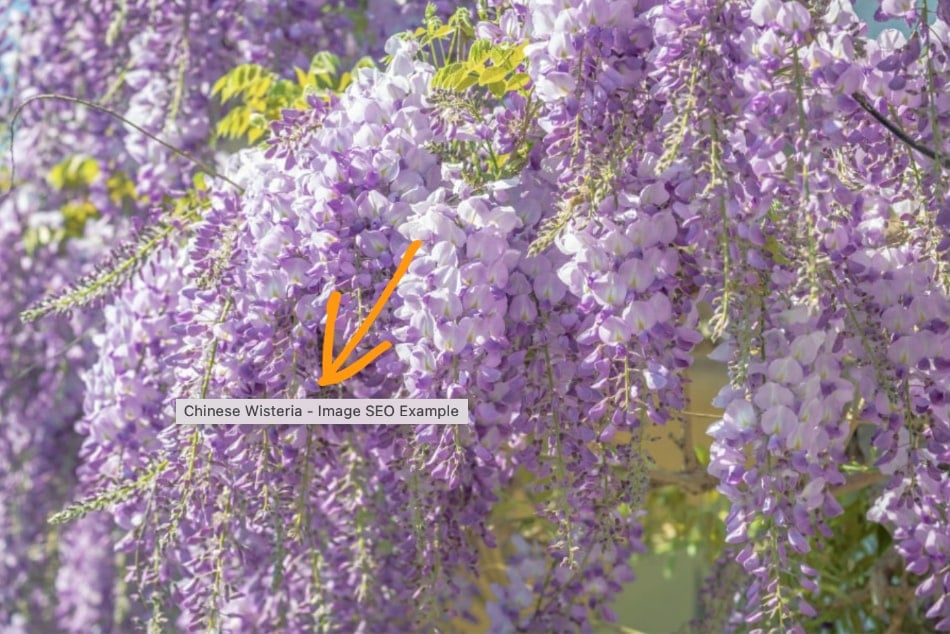
Here are some tips for optimizing image titles:
- Make them reader-friendly
- Use natural language
- Keep them consistent with your filename theme
Consider Image Placement
Place images near relevant text in your content. This helps search engines make connections between your images and your web page’s content. Use appropriate subheadings and include images where they fit most naturally.
Remember: These tips work best when used together with proper filename optimization. Think of it as a complete package for image SEO success.
Recommended reading: How to Optimize Images for SEO
Image Filename SEO FAQs: Your Questions Answered
What is the best way to name images for SEO?
The best way to name images for SEO is to be descriptive while staying concise. Use 2–5 words that accurately describe what’s in the image. Include a relevant keyword when it makes sense, separate words with hyphens, and use lowercase letters. Skip special characters and spaces. Most importantly, make sure your filename reflects what’s actually in the image.
Do image filenames affect SEO?
While image filenames are not a direct Google ranking factor, they can indirectly affect your SEO. Filenames help search engines understand your images’ content and context. This can impact your rankings in search results for relevant queries. Optimized image filenames can also increase your chances of appearing in rich snippets and Google Images, which drives additional traffic to your site.
Should SEO image names use hyphens or dashes?
Always use hyphens (-) instead of underscores (_) in your image filenames. Google specifically recommends hyphens because search engines recognize them as word separators. Underscores can also be harder to read since they often get hidden in certain displays.
How long should image filenames be for SEO?
Keep your image filenames between 2–5 words. This length usually provides enough detail without becoming difficult to read. For example, “ergonomic-office-chair.jpg” is perfect. It’s descriptive enough to be useful but not so long that it becomes cumbersome. Avoid single-word names like “chair.jpg” (too vague) or extremely long names that try to include every possible descriptor (keyword stuffing).
Final Thoughts
Optimizing your image filenames might seem like a small detail in the grand scheme of SEO, but it’s these details that give you a competitive edge. When done right, image filename SEO can help search engines understand your content better. It also creates more opportunities for your website to appear in search results.
Remember, good image filenames aren’t about complex or require technical expertise. It’s about being clear, consistent, and thoughtful in how you name your images. That’s it!
Start using these best practices for naming images for SEO, and you’ll be one step closer to your site’s organic success.
Additional resources:


