
Ever landed on a webpage that felt like staring into a vast, unending desert of text? No signposts, no landmarks, just… words.
It’s overwhelming, right?
Well, that’s precisely how search engines and readers can feel about poorly structured content. Enter the unsung heroes of web organization: heading tags (H1 to H6).
Heading tags are a cornerstone of user-friendly web design and successful SEO. These structural elements break up your content for easier reading while helping search engines understand what your content is actually about.
In this article, we’ll demystify the world of H1 to H6 tags. We’ll:
- Explore their individual roles within the content hierarchy.
- Uncover the SEO benefits they offer.
- Provide best practices for writing effective headings.
- Highlight common pitfalls to avoid.
Let’s get started.
In This Article
What Are Heading Tags?
In the language of the web (HTML), heading tags are elements used to define the titles and subtitles within your content. They range from <h1>, which typically represents the main heading of the page, down to <h6>, which denotes the least important level of heading.
Think of them as the structural framework for your text, similar to how chapters and subchapters organize a book. These tags aren’t just about making text look bigger or bolder (that’s the job of CSS); they carry semantic weight, telling both browsers and search engines about the organization and importance of the information on your page.
By using them correctly, you create a clear and logical outline that improves both user experience and SEO.
Why Headings Matter for SEO (and Humans!)
So, we know what heading tags are, but why should you actually care about using them correctly?
The answer is two-fold: they are crucial for both search engine optimization (SEO) and providing a positive experience for your human readers. Think of it as hitting two birds with one well-structured stone.
For SEO
Search engines like Google are essentially sophisticated information organizers. When they crawl your website, they’re trying to understand the content and context of each page. Heading tags provide vital clues in this process. They help search engines identify:
- The main topic of the page: Your <h1> tag acts as the headline, clearly stating what the entire page is about.
- The key subtopics: <h2> tags break down the main topic into logical sections, indicating the primary themes discussed.
- The supporting points: Subsequent heading tags (<h3> to <h6>) further delineate the content, showing the relationships between different ideas and providing a hierarchical understanding of the information.
By clearly structuring your content with relevant keywords in your headings (used naturally, of course!), you make it easier for search engines to understand what your page is about and determine its relevance for specific search queries.
This can lead to improved rankings and more organic traffic.
For Humans
While pleasing search engines is important, let’s not forget about the actual people who will be reading your content. Well-implemented heading tags significantly enhance the user experience by:
- Improving readability: Large blocks of text can be intimidating. Headings break up the monotony, making your content scannable and easier on the eyes.
- Facilitating navigation: Clear headings allow readers to quickly grasp the main points of your content and jump to the sections that are most relevant to them.
- Creating a logical flow: A well-defined heading structure guides readers through your arguments and information, improving comprehension.
- Increasing engagement: When content is easy to read and navigate, users are more likely to spend more time on your page and engage with your content.
In essence, properly used heading tags create a win-win situation. You’re not only making your content more appealing and understandable for your audience but also providing valuable signals to search engines, helping them to index and rank your content effectively.
The Hierarchy of Headings: H1 to H6 Demystified
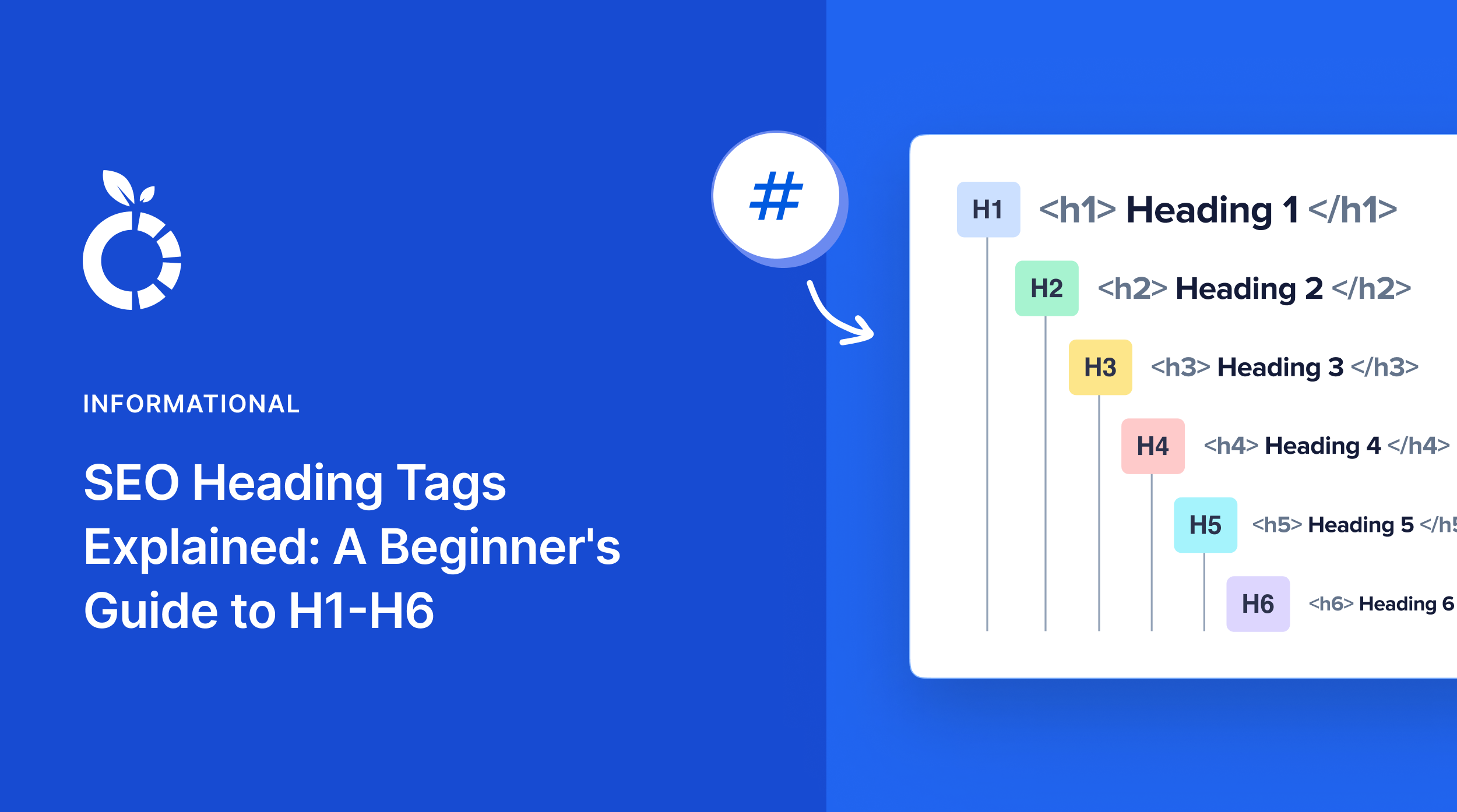
As we touched upon earlier, heading tags aren’t created equal. They follow a hierarchical structure, with <h1> carrying the most weight and <h6> the least. Understanding this hierarchy is crucial for using them effectively for both SEO and user experience.
Let’s break down each level and its primary role.
H1: The Main Event
The <h1> tag is the title of your page. It’s the single, most important identifier of your content for both users and search engines. It communicates what your page is about and is typically the first thing users see.
Think of it this way: If your page were a book, the H1 would be the title on the cover.
Here, you can see how our H1 appears in one of our other blog posts:
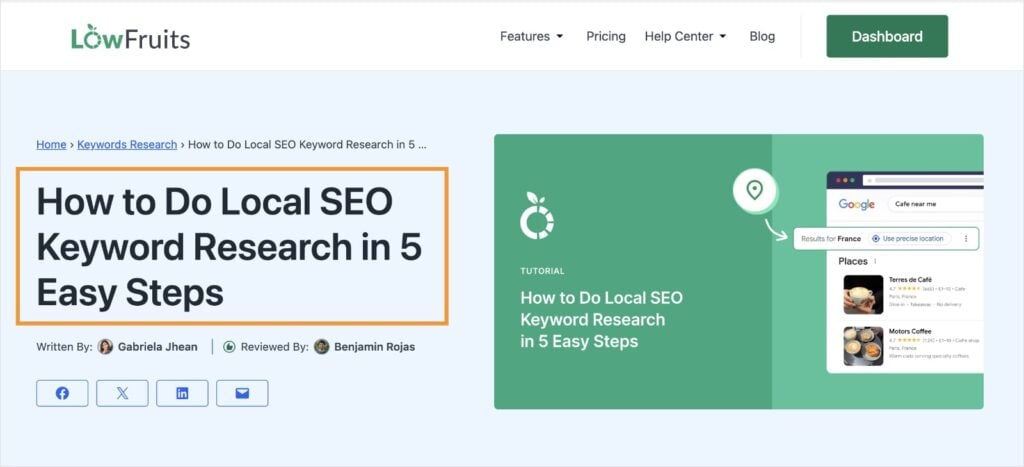
Best Practice: Use only one <h1> tag per page. Make it prominent and ensure it accurately reflects the core content. Your H1 should also incorporate your focus keyword.
H2: Key Subtopics
H2 tags are your content’s main organizing elements. They break down your topic into logical sections and help readers quickly find the information they’re looking for. Best practices include:
- Using your primary and related keywords where they fit naturally
- Creating clear, distinct subtopics that support your main topic
- Making each H2 informative and scannable
Example: If your H1 is “Best Coffee Makers for Home,” your H2s might be “Drip Coffee Makers,” “Espresso Machines,” and “French Presses.”
H3: Further Subdivisions
H3 tags organize content within H2 sections. They provide a more granular level of detail and outline specific points related to the subtopic. They’re perfect for breaking down more complex topics into more manageable chunks.
Best Practice: Use <h3> tags to elaborate on points within your <h2> sections in a clear and logical manner. Ensure they directly relate to the subtopic introduced by the <h2> above them.
Example (continuing the coffee maker theme): Under the H2 “Drip Coffee Makers,” an H3 could be “Features to Look for in a Drip Coffee Maker.”
H4-H6: Deeper Levels of Detail
These lower-level headings are used less frequently but can be valuable for organizing very complex content. They’re particularly useful for:
- Technical documentation
- Detailed how-to tutorials
- Extensive guides with multiple layers of information
Best Practice: Use these heading tags sparingly and only when necessary for clarity. Overusing them can make your content feel overly nested.
Think of it: These are like the sub-points within your outline’s sub-points.
Visualizing the Heading Hierarchy
<h1>The Ultimate Guide to Brewing Perfect Coffee at Home</h1>

      <h2>Choosing the Right Coffee Beans</h2>

            <h3>Understanding Roast Levels</h3>

                    <h4>Light Roast</h4>

                    <h4>Medium Roast</h4>

                    <h4>Dark Roast</h4>

            <h3>The Importance of Freshness</h3>

      <h2>Different Brewing Methods</h2>

            <h3>Pour Over Brewing</h3>

            <h3>French Press Brewing</h3>

            <h3>Drip Coffee Brewing</h3>
See how it creates a clear and logical flow? Search engines love this kind of structure, and so will your readers.
SEO Benefits of Optimized Heading Tags
Now, let’s talk about why all this structural fuss actually matters for SEO. It’s not just about making your page look pretty (though that helps!).
Signaling Content Importance to Search Engines
Think of headings as signposts for Google and other search engines. They help these bots understand the most important topics on your page and how the different sections relate to each other. A well-defined heading structure tells search engines what your content is about.
Boosting Keyword Relevance
Strategically (but naturally!) incorporating relevant keywords into your headings can significantly improve your chances of ranking for those terms. When a search engine crawls your page and sees keywords in your H1, H2s, and even H3s, it reinforces the topic of your content.
Need help finding the right keywords for your page?
LowFruits is the best keyword research tool for small business owners, bloggers, and DIY SEOs.
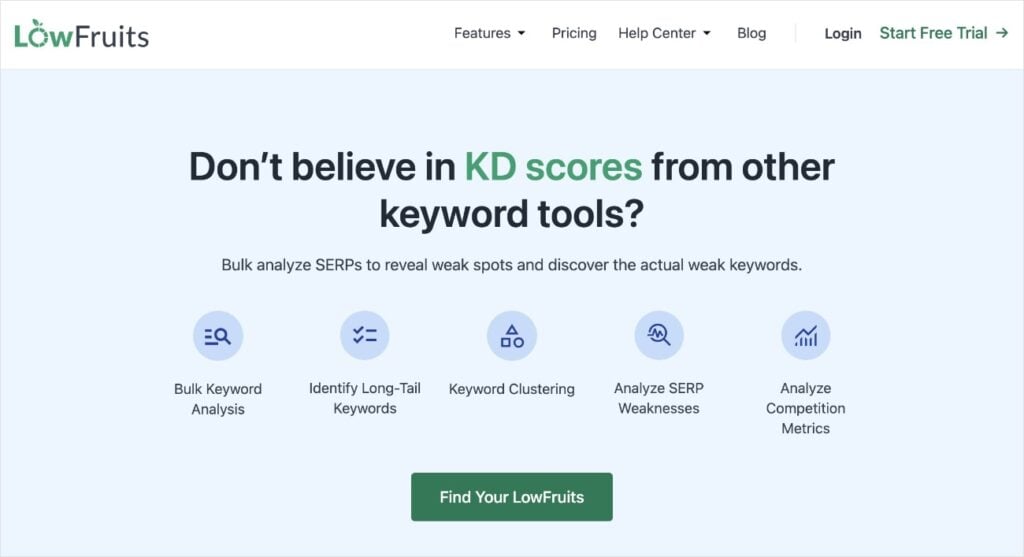
It focuses on helping you find low-competition keywords that are easy to rank for.
With KWFinder, you can quickly spot these keywords using the following LowFruits metrics:
- SERP Difficulty Score (SD): This metric represents keyword difficulty. It’s on a scale of 1 to 3, with 1 being the easiest.
- Weak Spots: Each icon represents a low-authority domain ranking on page 1 for a specific keyword. These are competitors you can easily outrank!
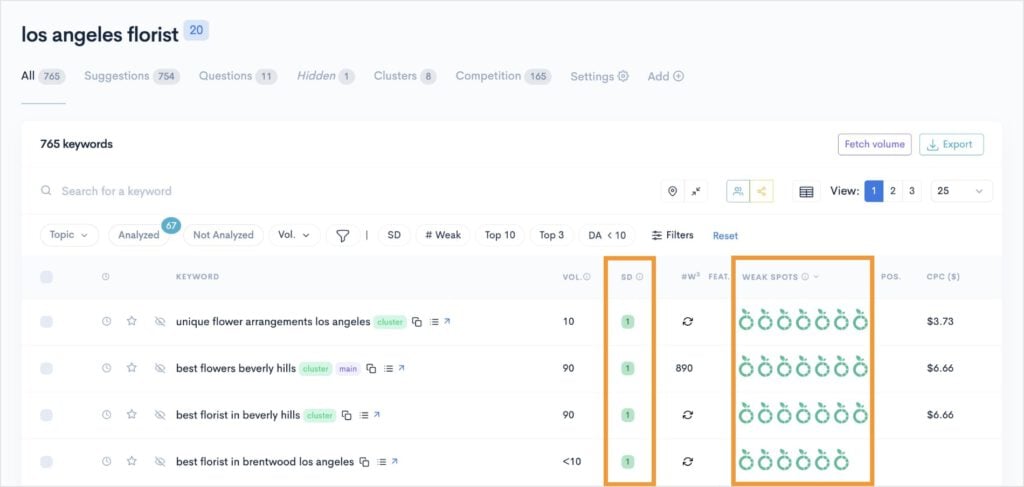
By performing keyword research in LowFruits, you can identify terms and phrases to use in your headings (and rank in search results!).
Improving Readability and User Experience
Let’s be honest, no one enjoys slogging through a wall of text. In fact, most people will hit the back button pretty quickly if that’s what they encounter on a page.
Headings break up content into digestible chunks, making it easier for users to scan and find the information they need. This improved readability leads to longer on-page time and lower bounce rates — both positive signals for search engines. Happy readers often mean higher rankings.
Enhancing Site Structure for Crawlers
Well-structured headings act like a table of contents for search engine crawlers. They help these bots navigate your page efficiently and understand the relationship between different pieces of content. This can lead to more effective indexing of your site.
Influencing Search Listings
Google often uses header tags and table of contents to generate meta descriptions. This acts like a preview, giving users an idea of what information they can expect to find from a particular search result. By optimizing your headings for SEO, you can influence what Google presents.
7 Best Practices for Writing SEO-Friendly Headings
We’ve already discussed some best practices for writing headings for SEO, but let’s organize them all together here:
- Integrate keywords naturally. Yes, keywords are important, but don’t force them in where they don’t belong. Your headings should read naturally for humans first. Think about the user’s search intent and incorporate keywords where they logically fit.
- Be clear and concise. Get straight to the point. Your headings should accurately reflect the content that follows. Avoid vague or overly clever headings that don’t clearly communicate the topic.
- Reflect content accurately. This might seem obvious, but your headings should be a true representation of the information in that section. Misleading headings will frustrate users and can negatively impact your SEO.
- Maintain a logical hierarchy. Use headings in the correct order. Start with H1, then use H2 for main subtopics, H3 for sections within H2s, and so on. Don’t skip levels (e.g., going from an H2 directly to an H4). This creates a confusing structure for both users and search engines.
- Use strong action verbs and engaging language. While clarity is key, don’t be afraid to use compelling language that encourages readers to delve into a section. This is particularly true for headings within your content that aim to keep users engaged.
- Strive for consistency. Maintain a consistent tone and style across your headings. This creates a more professional and cohesive reading experience.
- Consider mobile users. Keep your headings relatively concise, especially for important ones like H1 and H2. Long headings might get truncated on smaller screens.
5 Common Mistakes to Avoid with SEO Headings
We all make mistakes, but knowing the common pitfalls can save you some SEO headaches:
- Using multiple H1 tags: Remember, the H1 is the main title of your page. Having more than one can confuse search engines about the primary topic. Stick to a single, well-optimized H1.
- Treating headings as just style: Don’t just make text bigger and bolder and call it an H2. Use the actual HTML heading tags (<h1>, <h2>, etc.). Search engines recognize these tags for their semantic meaning, not just their visual appearance (use CSS for styling!).
- Keyword stuffing: Cramming too many keywords into your headings can make them sound unnatural and spammy, which can hurt your SEO efforts. Focus on natural integration.
- Skipping heading levels: As mentioned before, jumping from an H2 to an H4 disrupts the logical flow and can confuse search engines about the relationship between your content sections.
- Generic or vague headings: Headings like “Introduction” or “Conclusion” (while sometimes necessary) don’t offer much SEO value on their own. Try to incorporate relevant keywords where possible while still being clear about the section’s content.
Mastering Headings for SEO Success
So there you have it — your beginner’s guide to understanding and implementing SEO-friendly heading tags.
They’re more than just visual cues; they’re fundamental elements that help both your audience and search engines navigate and understand your content.
By following these best practices and avoiding common mistakes, you’ll be well on your way to structuring your content for better readability, improved user experience, and ultimately, higher rankings.


